Weave Integration
Weave Overview
Section titled “Weave Overview”Weights & Biases (W&B) Weave is a framework for tracking, experimenting with, evaluating, deploying, and improving LLM-based applications.
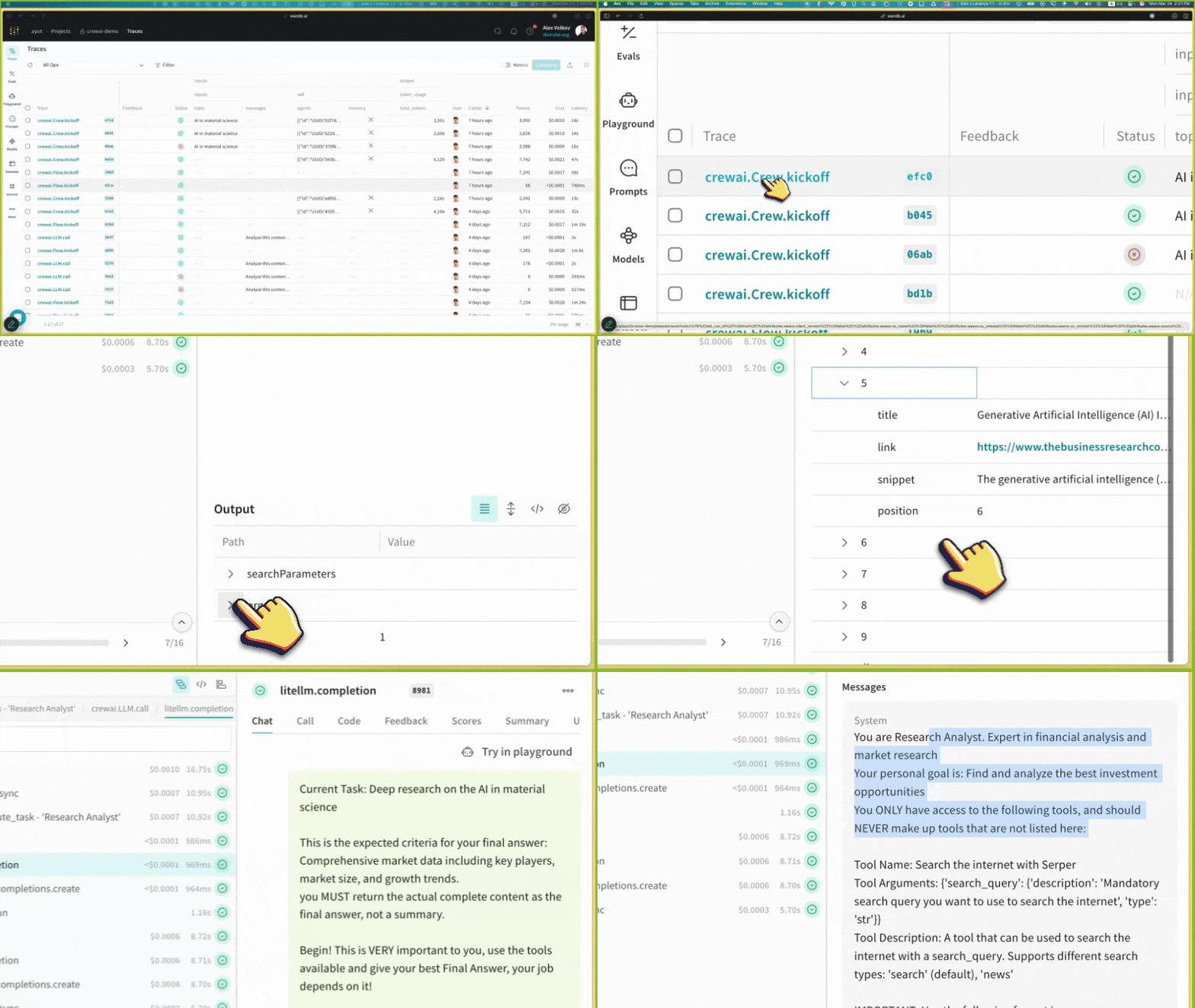
Weave provides comprehensive support for every stage of your CrewAI application development:
- Tracing & Monitoring: Automatically track LLM calls and application logic to debug and analyze production systems
- Systematic Iteration: Refine and iterate on prompts, datasets, and models
- Evaluation: Use custom or pre-built scorers to systematically assess and enhance agent performance
- Guardrails: Protect your agents with pre- and post-safeguards for content moderation and prompt safety
Weave automatically captures traces for your CrewAI applications, enabling you to monitor and analyze your agents’ performance, interactions, and execution flow. This helps you build better evaluation datasets and optimize your agent workflows.
Setup Instructions
Section titled “Setup Instructions”- Install required packages
Terminal window pip install crewai weave - Set up W&B Account
Sign up for a Weights & Biases account if you haven’t already. You’ll need this to view your traces and metrics.
- Initialize Weave in Your Application
Add the following code to your application:
import weave# Initialize Weave with your project nameweave.init(project_name="crewai_demo")After initialization, Weave will provide a URL where you can view your traces and metrics.
- Create your Crews/Flowsfrom crewai import Agent, Task, Crew, LLM, Process# Create an LLM with a temperature of 0 to ensure deterministic outputsllm = LLM(model="gpt-4o", temperature=0)# Create agentsresearcher = Agent(role='Research Analyst',goal='Find and analyze the best investment opportunities',backstory='Expert in financial analysis and market research',llm=llm,verbose=True,allow_delegation=False,)writer = Agent(role='Report Writer',goal='Write clear and concise investment reports',backstory='Experienced in creating detailed financial reports',llm=llm,verbose=True,allow_delegation=False,)# Create tasksresearch_task = Task(description='Deep research on the {topic}',expected_output='Comprehensive market data including key players, market size, and growth trends.',agent=researcher)writing_task = Task(description='Write a detailed report based on the research',expected_output='The report should be easy to read and understand. Use bullet points where applicable.',agent=writer)# Create a crewcrew = Crew(agents=[researcher, writer],tasks=[research_task, writing_task],verbose=True,process=Process.sequential,)# Run the crewresult = crew.kickoff(inputs={"topic": "AI in material science"})print(result)
- View Traces in Weave
After running your CrewAI application, visit the Weave URL provided during initialization to view:
- LLM calls and their metadata
- Agent interactions and task execution flow
- Performance metrics like latency and token usage
- Any errors or issues that occurred during execution
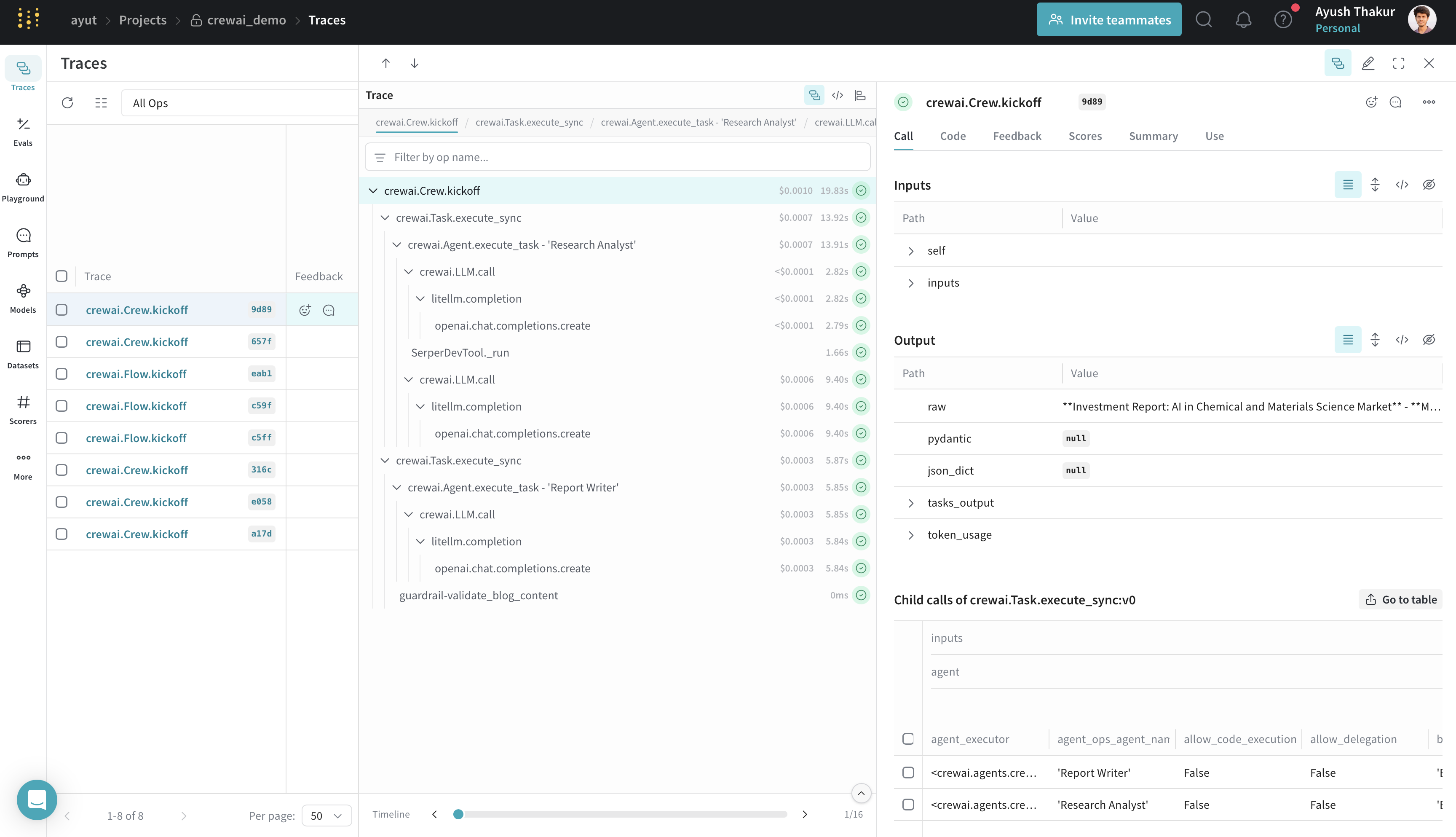
Weave Tracing Dashboard
Features
Section titled “Features”- Weave automatically captures all CrewAI operations: agent interactions and task executions; LLM calls with metadata and token usage; tool usage and results.
- The integration supports all CrewAI execution methods:
kickoff(),kickoff_for_each(),kickoff_async(), andkickoff_for_each_async(). - Automatic tracing of all crewAI-tools.
- Flow feature support with decorator patching (
@start,@listen,@router,@or_,@and_). - Track custom guardrails passed to CrewAI
Taskwith@weave.op().
For detailed information on what’s supported, visit the Weave CrewAI documentation.