Agent Repositories
Agent Repositories allow enterprise users to store, share, and reuse agent definitions across teams and projects. This feature enables organizations to maintain a centralized library of standardized agents, promoting consistency and reducing duplication of effort.
Benefits of Agent Repositories
Section titled “Benefits of Agent Repositories”- Standardization: Maintain consistent agent definitions across your organization
- Reusability: Create an agent once and use it in multiple crews and projects
- Governance: Implement organization-wide policies for agent configurations
- Collaboration: Enable teams to share and build upon each other’s work
Creating and Use Agent Repositories
Section titled “Creating and Use Agent Repositories”- You must have an account at CrewAI, try the free plan.
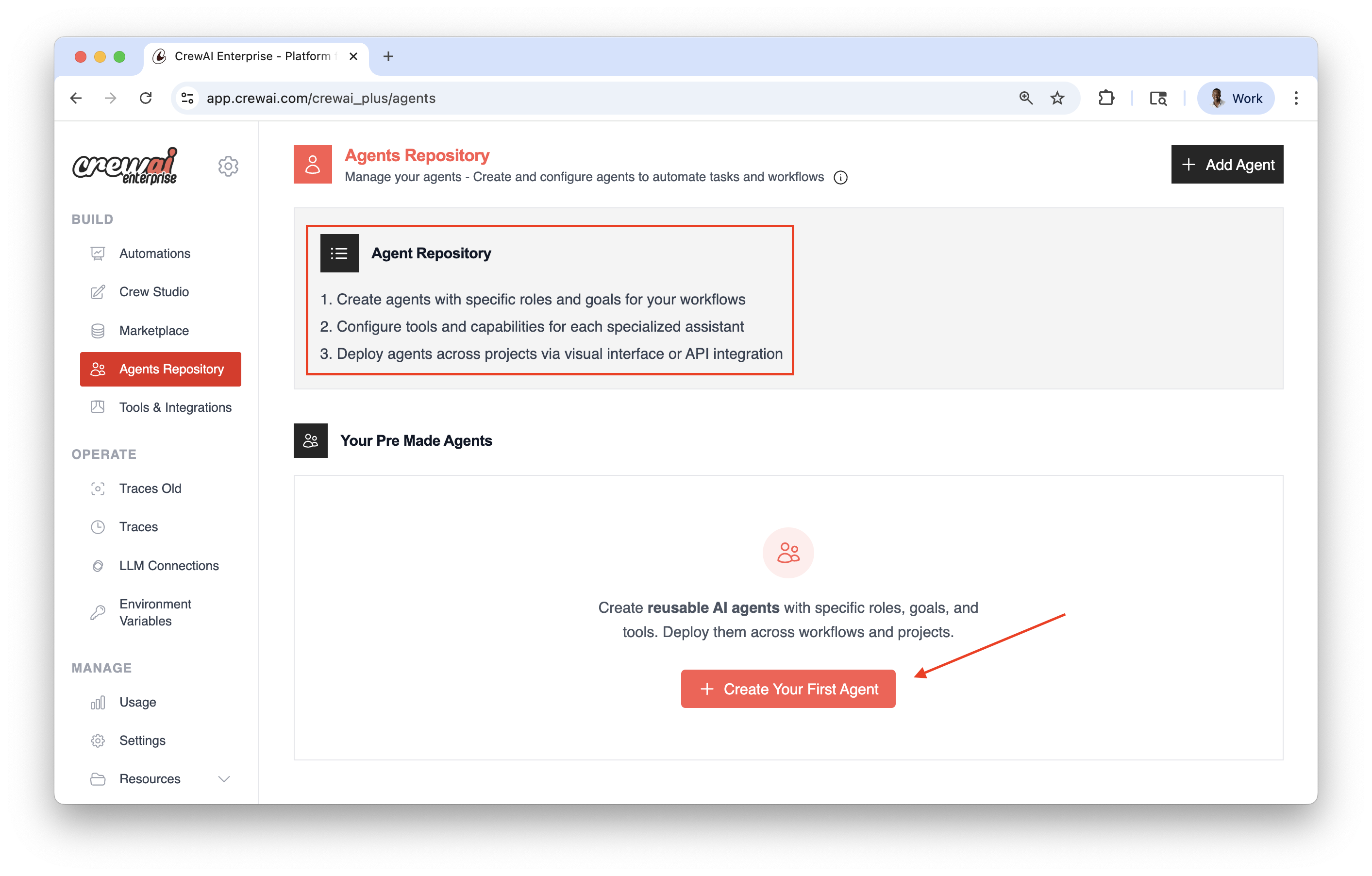
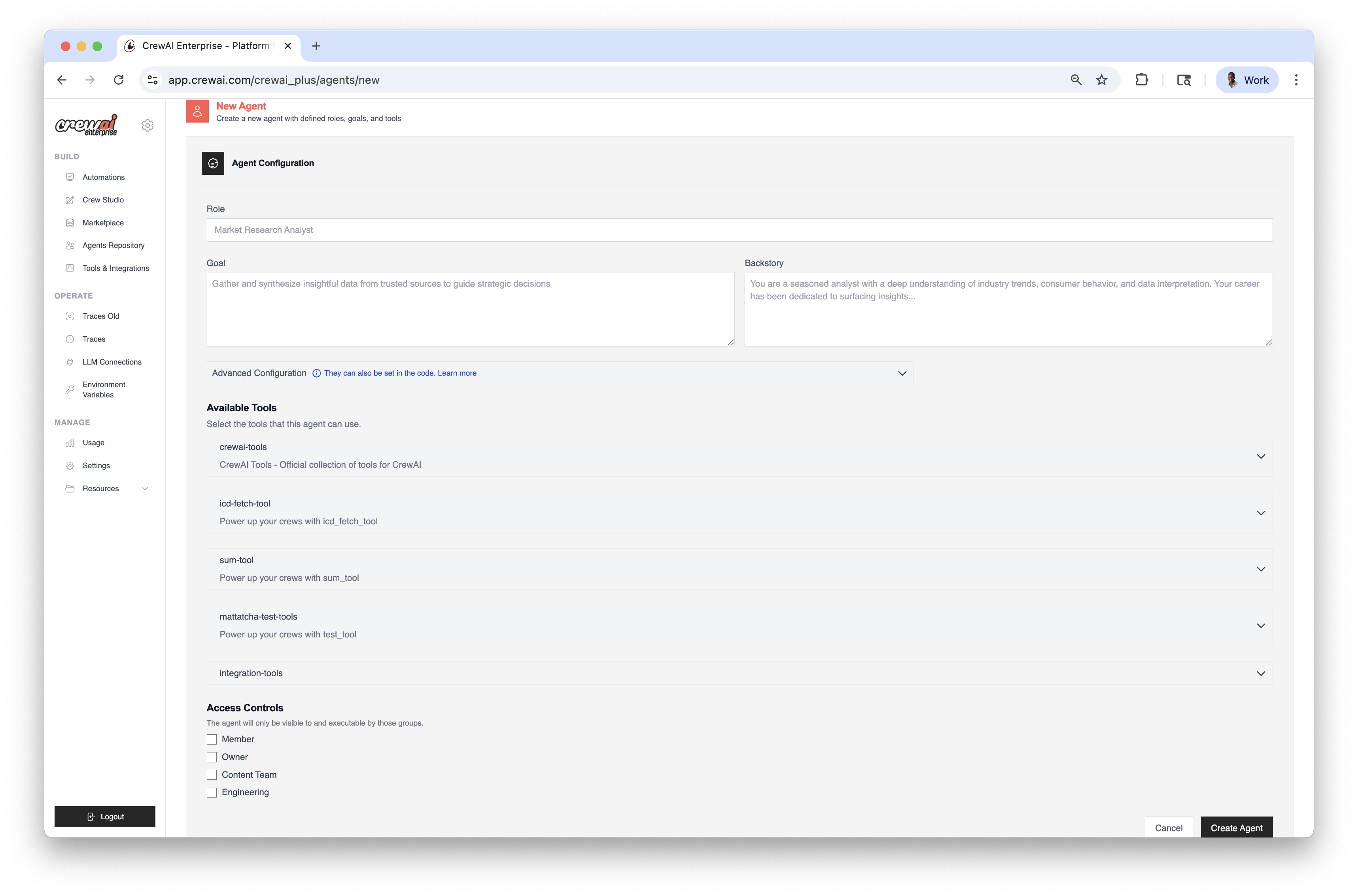
- Create agents with specific roles and goals for your workflows.
- Configure tools and capabilities for each specialized assistant.
- Deploy agents across projects via visual interface or API integration.
Loading Agents from Repositories
Section titled “Loading Agents from Repositories”You can load agents from repositories in your code using the from_repository parameter to run locally:
from crewai import Agent
# Create an agent by loading it from a repository# The agent is loaded with all its predefined configurationsresearcher = Agent(    from_repository="market-research-agent")
Overriding Repository Settings
Section titled “Overriding Repository Settings”You can override specific settings from the repository by providing them in the configuration:
researcher = Agent( from_repository="market-research-agent", goal="Research the latest trends in AI development", # Override the repository goal verbose=True # Add a setting not in the repository)Example: Creating a Crew with Repository Agents
Section titled “Example: Creating a Crew with Repository Agents”from crewai import Crew, Agent, Task
# Load agents from repositoriesresearcher = Agent( from_repository="market-research-agent")
writer = Agent( from_repository="content-writer-agent")
# Create tasksresearch_task = Task( description="Research the latest trends in AI", agent=researcher)
writing_task = Task( description="Write a comprehensive report based on the research", agent=writer)
# Create the crewcrew = Crew( agents=[researcher, writer], tasks=[research_task, writing_task], verbose=True)
# Run the crewresult = crew.kickoff()Example: Using kickoff() with Repository Agents
Section titled “Example: Using kickoff() with Repository Agents”You can also use repository agents directly with the kickoff() method for simpler interactions:
from crewai import Agentfrom pydantic import BaseModelfrom typing import List
# Define a structured output formatclass MarketAnalysis(BaseModel):    key_trends: List[str]    opportunities: List[str]    recommendation: str
# Load an agent from repositoryanalyst = Agent(    from_repository="market-analyst-agent",    verbose=True)
# Get a free-form responseresult = analyst.kickoff("Analyze the AI market in 2025")print(result.raw)  # Access the raw response
# Get structured outputstructured_result = analyst.kickoff(    "Provide a structured analysis of the AI market in 2025",    response_format=MarketAnalysis)
# Access structured dataprint(f"Key Trends: {structured_result.pydantic.key_trends}")print(f"Recommendation: {structured_result.pydantic.recommendation}")
Best Practices
Section titled “Best Practices”- Naming Convention: Use clear, descriptive names for your repository agents
- Documentation: Include comprehensive descriptions for each agent
- Tool Management: Ensure that tools referenced by repository agents are available in your environment
- Access Control: Manage permissions to ensure only authorized team members can modify repository agents
Organization Management
Section titled “Organization Management”To switch between organizations or see your current organization, use the CrewAI CLI:
# View current organizationcrewai org current
# Switch to a different organizationcrewai org switch <org_id>
# List all available organizationscrewai org list