Crew Studio
Overview
Section titled “Overview”Crew Studio is an interactive, AI‑assisted workspace for creating new automations from scratch using natural language and a visual workflow editor.
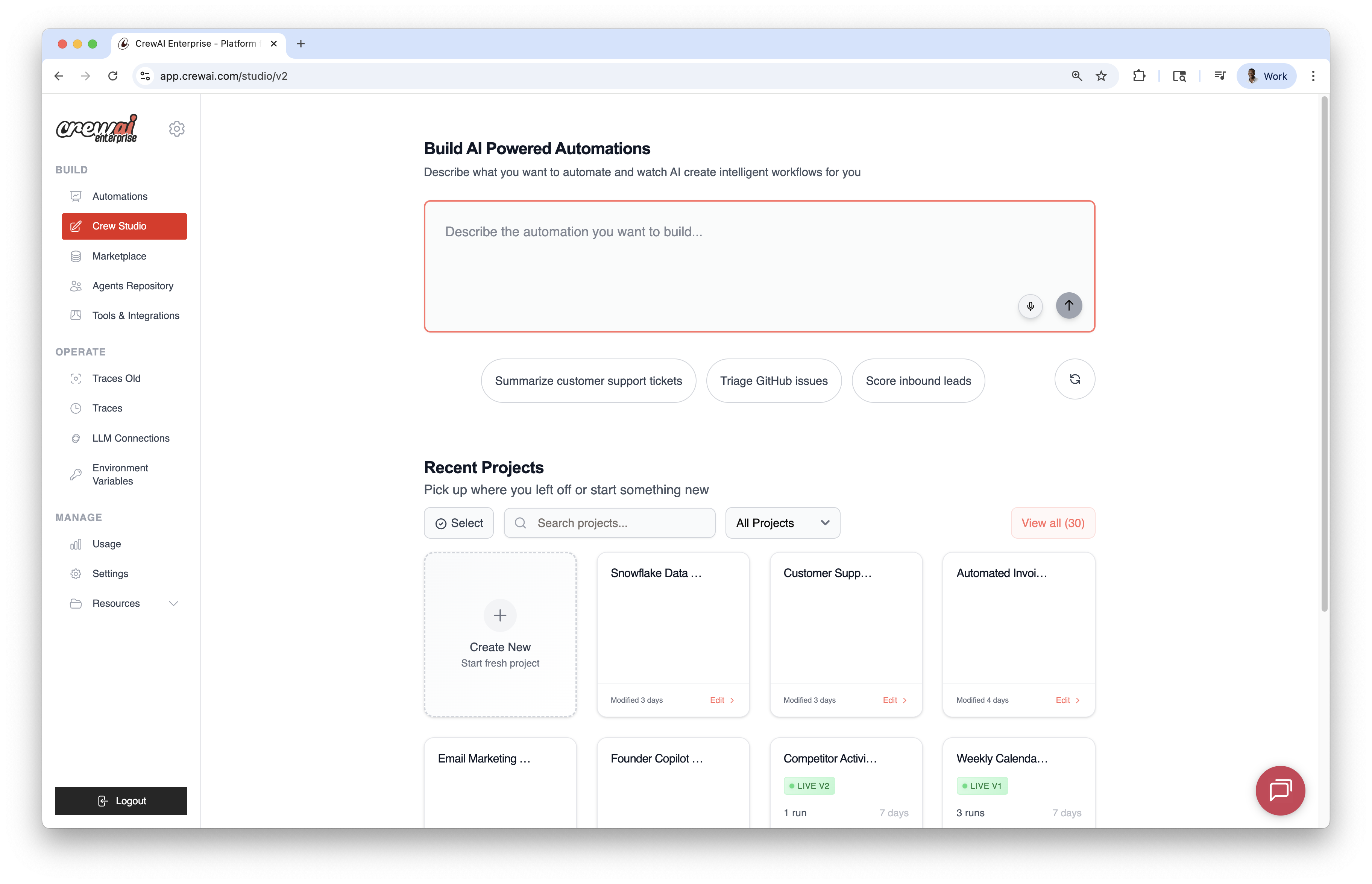
Prompt‑based Creation
Section titled “Prompt‑based Creation”- Describe the automation you want; the AI generates agents, tasks, and tools.
- Use voice input via the microphone icon if preferred.
- Start from built‑in prompts for common use cases.
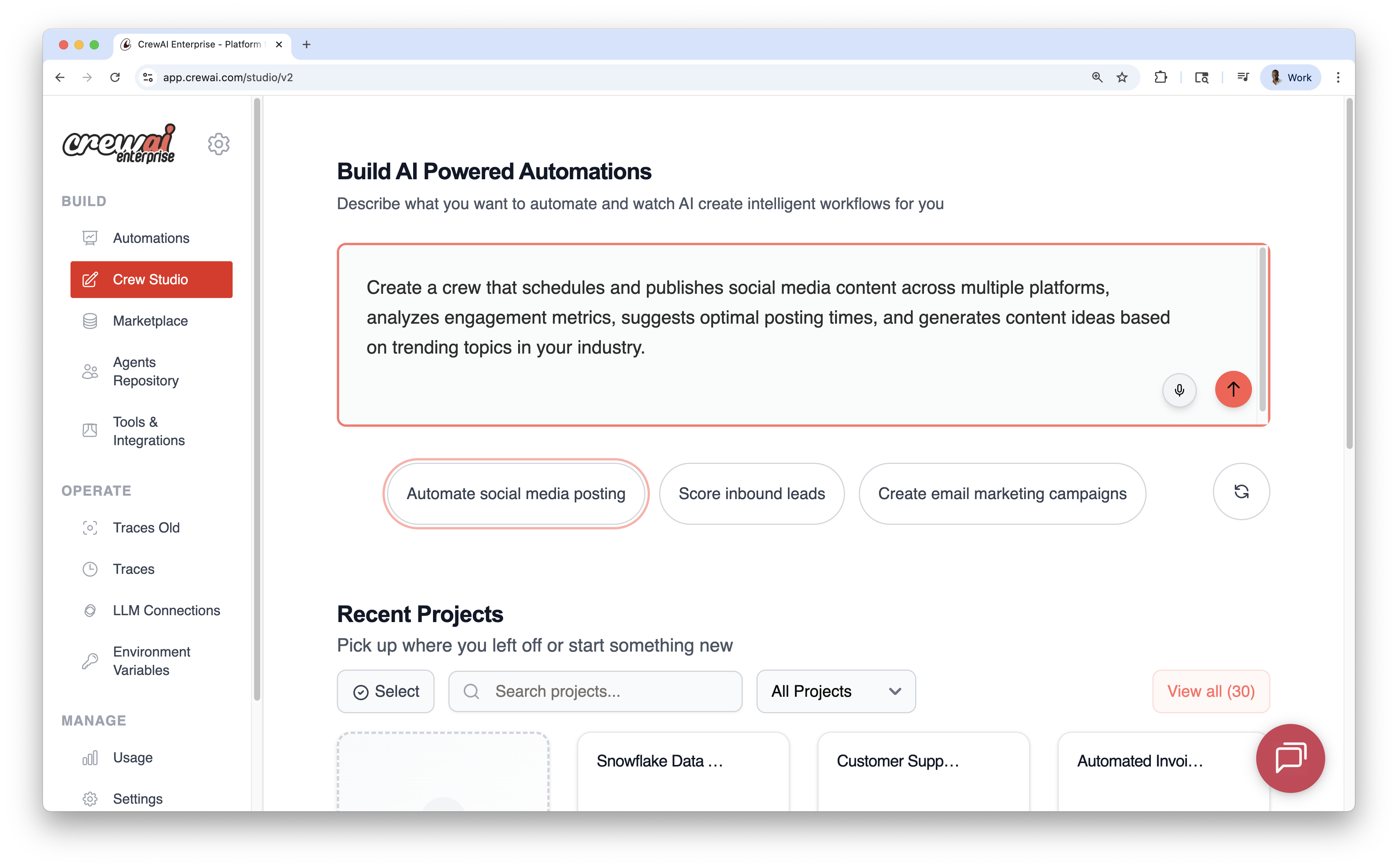
Visual Editor
Section titled “Visual Editor”The canvas reflects the workflow as nodes and edges with three supporting panels that allow you to configure the workflow easily without writing code; a.k.a. “vibe coding AI Agents”.
You can use the drag-and-drop functionality to add agents, tasks, and tools to the canvas or you can use the chat section to build the agents. Both approaches share state and can be used interchangeably.
- AI Thoughts (left): streaming reasoning as the workflow is designed
- Canvas (center): agents and tasks as connected nodes
- Resources (right): drag‑and‑drop components (agents, tasks, tools)
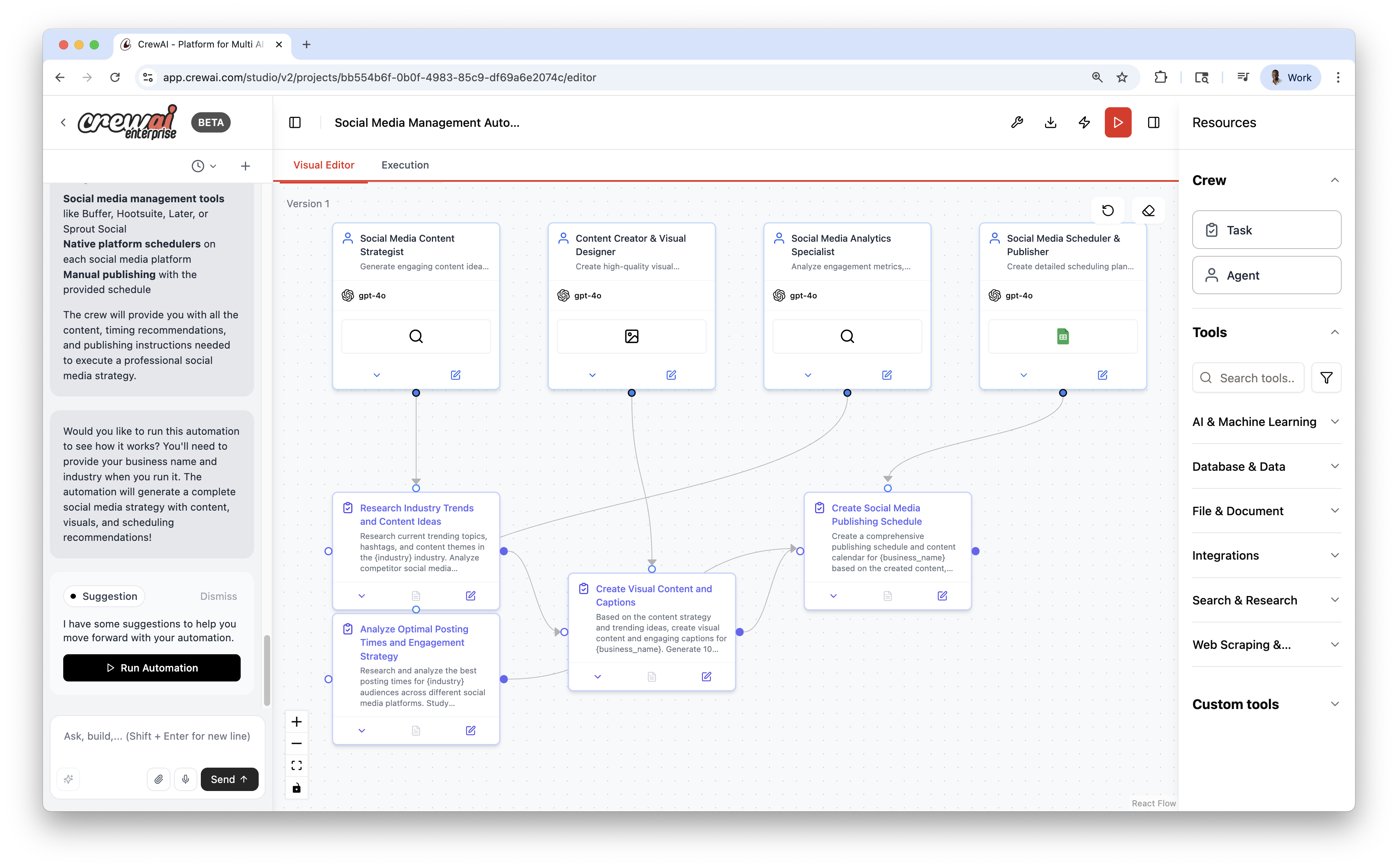
Execution & Debugging
Section titled “Execution & Debugging”Switch to the Execution view to run and observe the workflow:
- Event timeline
- Detailed logs (Details, Messages, Raw Data)
- Local test runs before publishing
Publish & Export
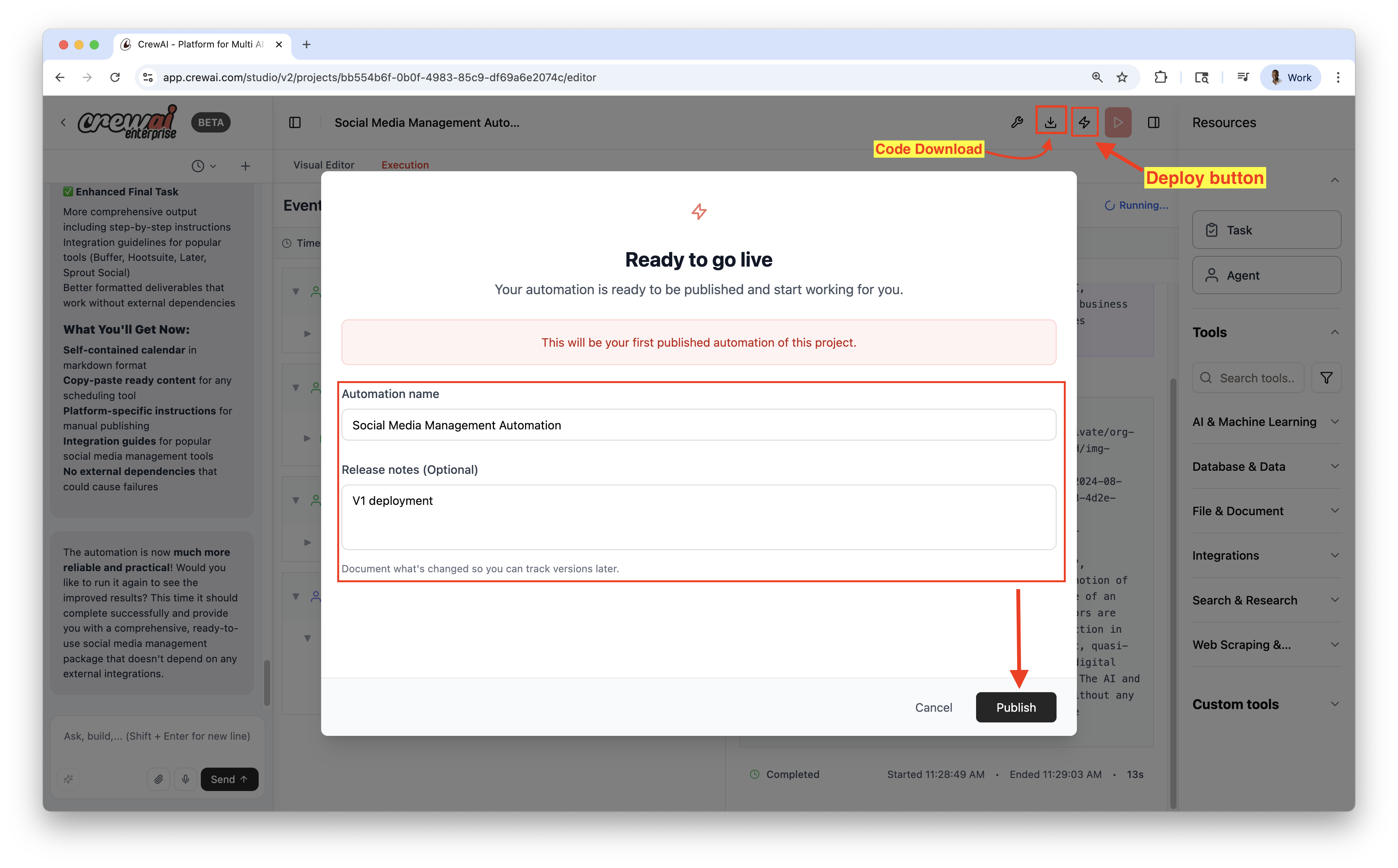
Section titled “Publish & Export”- Publish to deploy a live automation
- Download source as a ZIP for local development or customization
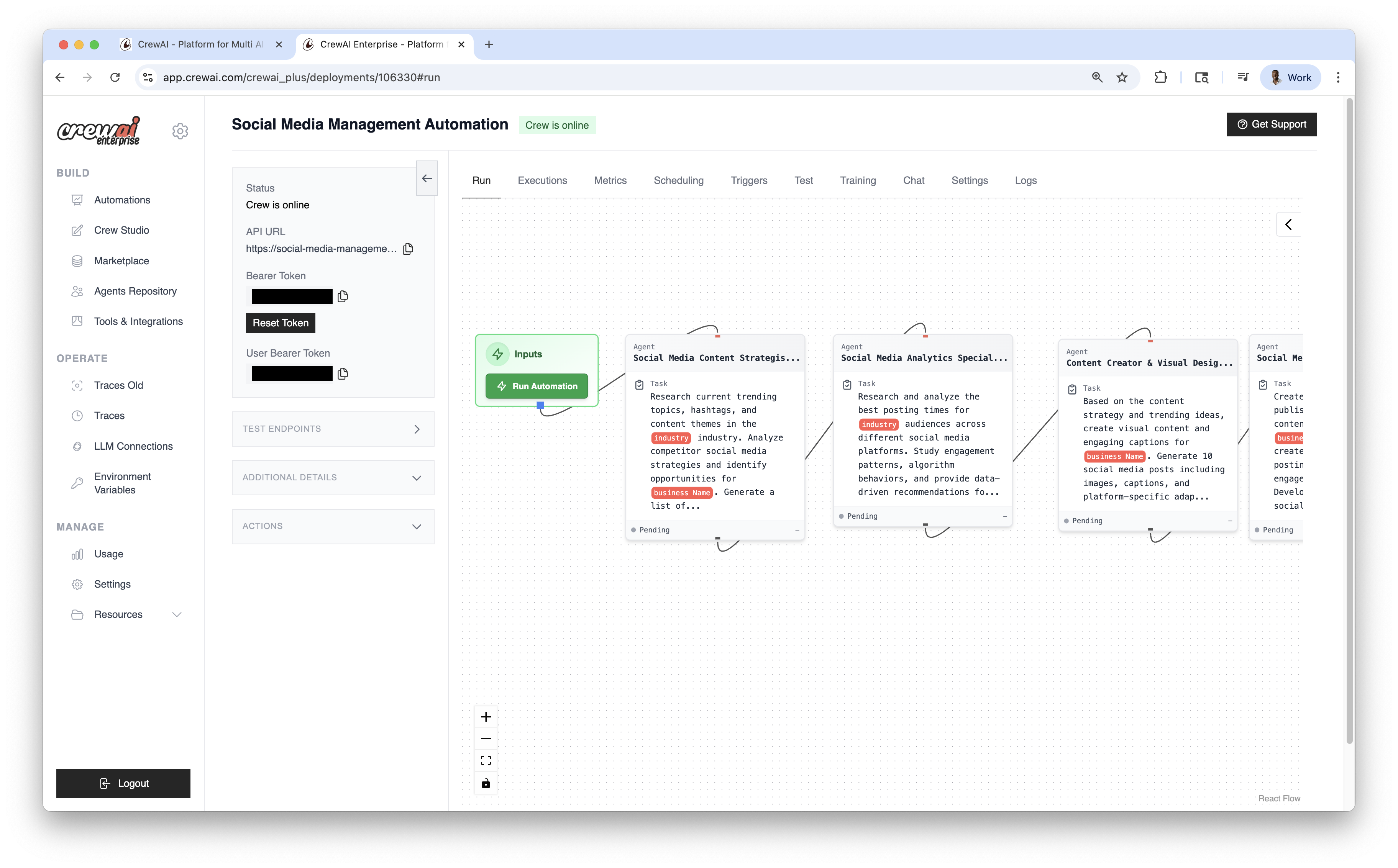
Once published, you can view the automation details and have the Options dropdown menu to chat with this crew, Export React Component and Export as MCP.
Best Practices
Section titled “Best Practices”- Iterate quickly in Studio; publish only when stable
- Keep tools constrained to minimum permissions needed
- Use Traces to validate behavior and performance