Galileo
Overview
Section titled “Overview”This guide demonstrates how to integrate Galileo with CrewAI for comprehensive tracing and Evaluation Engineering. By the end of this guide, you will be able to trace your CrewAI agents, monitor their performance, and evaluate their behaviour with Galileo’s powerful observability platform.
What is Galileo? Galileo is AI evaluation and observability platform that delivers end-to-end tracing, evaluation, and monitoring for AI applications. It enables teams to capture ground truth, create robust guardrails, and run systematic experiments with built-in experiment tracking and performance analytics—ensuring reliability, transparency, and continuous improvement across the AI lifecycle.
Getting started
Section titled “Getting started”This tutorial follows the CrewAI quickstart and shows how to add Galileo’s CrewAIEventListener, an event handler. For more information, see Galileo’s Add Galileo to a CrewAI Application how-to guide.
Note This tutorial assumes you have completed the CrewAI quickstart. If you want a completed comprehensive example, see the Galileo CrewAI sdk-example repo.
Step 1: Install dependencies
Section titled “Step 1: Install dependencies”Install the required dependencies for your app. Create a virtual environment using your preferred method, then install dependencies inside that environment using your preferred tool:
uv add galileoStep 2: Add to the .env file from the CrewAI quickstart
Section titled “Step 2: Add to the .env file from the CrewAI quickstart”# Your Galileo API keyGALILEO_API_KEY="your-galileo-api-key"
# Your Galileo project nameGALILEO_PROJECT="your-galileo-project-name"
# The name of the Log stream you want to use for loggingGALILEO_LOG_STREAM="your-galileo-log-stream "Step 3: Add the Galileo event listener
Section titled “Step 3: Add the Galileo event listener”To enable logging with Galileo, you need to create an instance of the CrewAIEventListener.
Import the Galileo CrewAI handler package by
adding the following code at the top of your main.py file:
from galileo.handlers.crewai.handler import CrewAIEventListenerAt the start of your run function, create the event listener:
def run(): # Create the event listener CrewAIEventListener() # The rest of your existing code goes hereWhen you create the listener instance, it is automatically registered with CrewAI.
Step 4: Run your crew
Section titled “Step 4: Run your crew”Run your crew with the CrewAI CLI:
crewai runStep 5: View the traces in Galileo
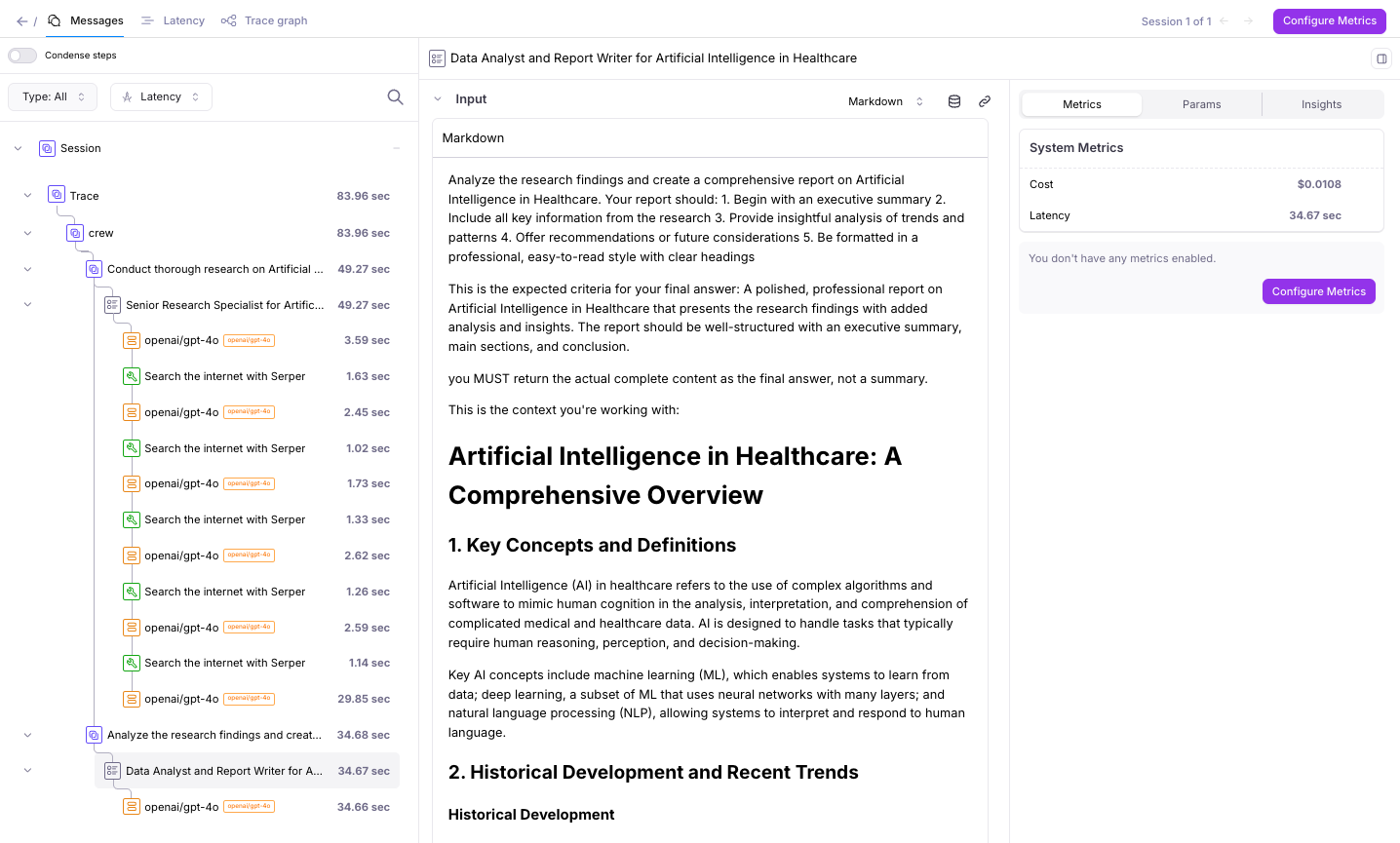
Section titled “Step 5: View the traces in Galileo”Once your crew has finished, the traces will be flushed and appear in Galileo.
Understanding the Galileo Integration
Section titled “Understanding the Galileo Integration”Galileo integrates with CrewAI by registering an event listener that captures Crew execution events (e.g., agent actions, tool calls, model responses) and forwards them to Galileo for observability and evaluation.
Understanding the event listener
Section titled “Understanding the event listener”Creating a CrewAIEventListener() instance is all that’s
required to enable Galileo for a CrewAI run. When instantiated, the listener:
- Automatically registers itself with CrewAI
- Reads Galileo configuration from environment variables
- Logs all run data to the Galileo project and log stream specified by
GALILEO_PROJECTandGALILEO_LOG_STREAM
No additional configuration or code changes are required. All data from this run is logged to the Galileo project and log stream specified by your environment configuration (for example, GALILEO_PROJECT and GALILEO_LOG_STREAM).