OpenLIT Integration
OpenLIT Overview
Section titled “OpenLIT Overview”OpenLIT is an open-source tool that makes it simple to monitor the performance of AI agents, LLMs, VectorDBs, and GPUs with just one line of code.
It provides OpenTelemetry-native tracing and metrics to track important parameters like cost, latency, interactions and task sequences. This setup enables you to track hyperparameters and monitor for performance issues, helping you find ways to enhance and fine-tune your agents over time.
Features
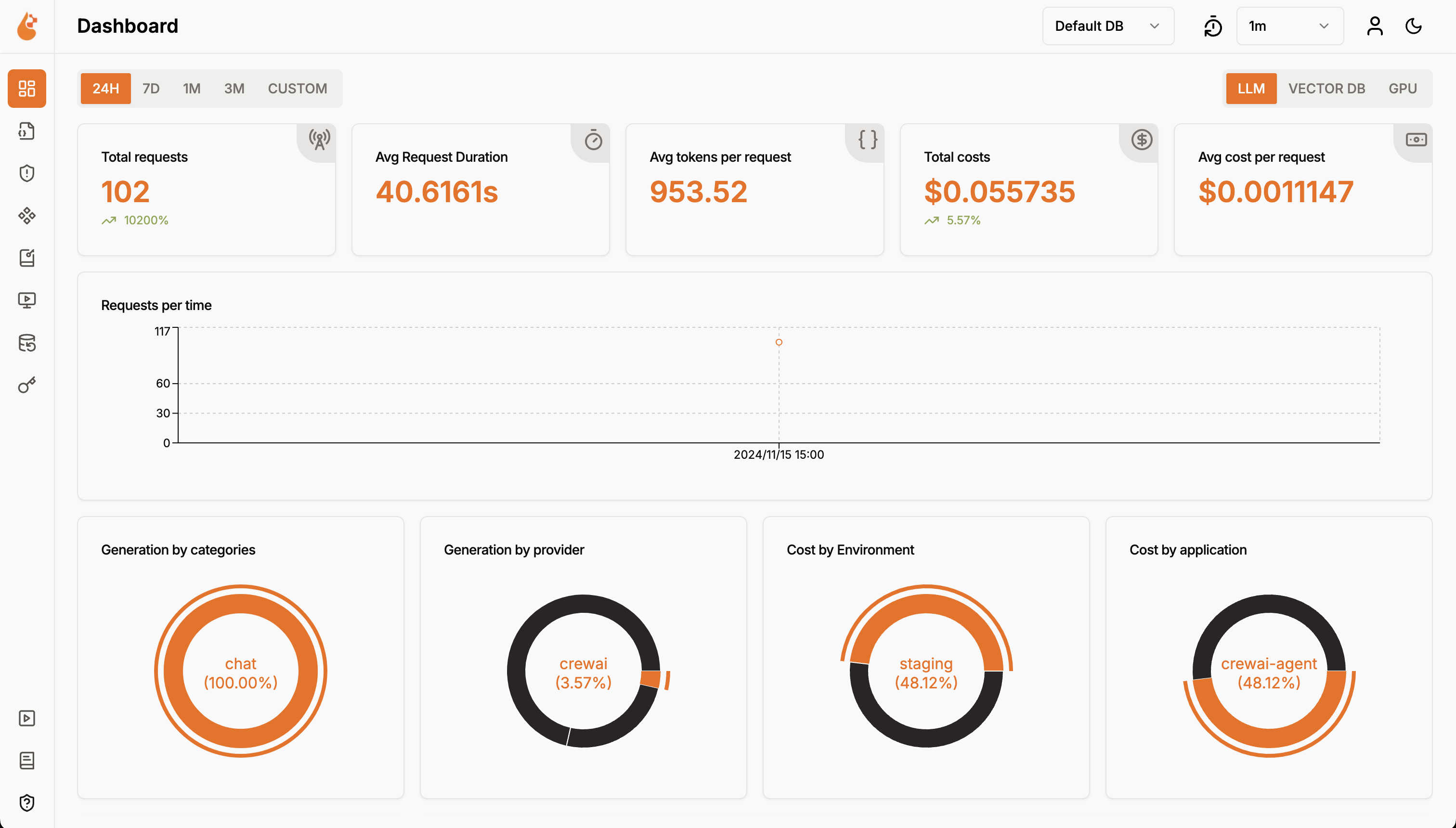
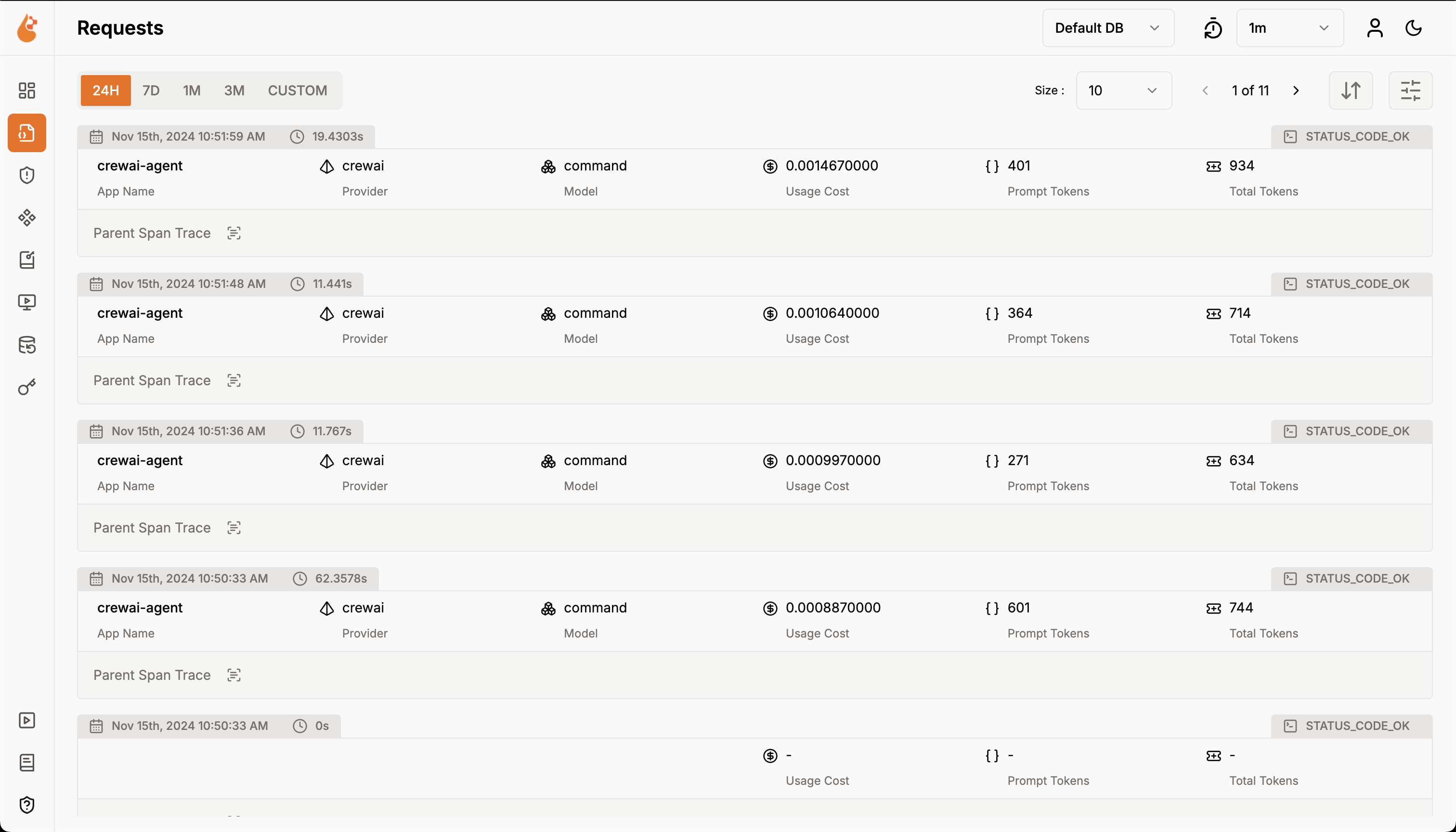
Section titled “Features”- Analytics Dashboard: Monitor your Agents health and performance with detailed dashboards that track metrics, costs, and user interactions.
- OpenTelemetry-native Observability SDK: Vendor-neutral SDKs to send traces and metrics to your existing observability tools like Grafana, DataDog and more.
- Cost Tracking for Custom and Fine-Tuned Models: Tailor cost estimations for specific models using custom pricing files for precise budgeting.
- Exceptions Monitoring Dashboard: Quickly spot and resolve issues by tracking common exceptions and errors with a monitoring dashboard.
- Compliance and Security: Detect potential threats such as profanity and PII leaks.
- Prompt Injection Detection: Identify potential code injection and secret leaks.
- API Keys and Secrets Management: Securely handle your LLM API keys and secrets centrally, avoiding insecure practices.
- Prompt Management: Manage and version Agent prompts using PromptHub for consistent and easy access across Agents.
- Model Playground Test and compare different models for your CrewAI agents before deployment.
Setup Instructions
Section titled “Setup Instructions”- Deploy OpenLIT
- Git Clone OpenLIT Repository
Terminal window git clone git@github.com:openlit/openlit.git - Start Docker Compose
From the root directory of the OpenLIT Repo, Run the below command:
Terminal window docker compose up -d
-
- Install OpenLIT SDK
Terminal window pip install openlit - Initialize OpenLIT in Your Application
Add the following two lines to your application code:
Setup using function argumentsimport openlitopenlit.init(otlp_endpoint="http://127.0.0.1:4318")Example Usage for monitoring a CrewAI Agent:
from crewai import Agent, Task, Crew, Processimport openlitopenlit.init(disable_metrics=True)# Define your agentsresearcher = Agent(role="Researcher",goal="Conduct thorough research and analysis on AI and AI agents",backstory="You're an expert researcher, specialized in technology, software engineering, AI, and startups. You work as a freelancer and are currently researching for a new client.",allow_delegation=False,llm='command-r')# Define your tasktask = Task(description="Generate a list of 5 interesting ideas for an article, then write one captivating paragraph for each idea that showcases the potential of a full article on this topic. Return the list of ideas with their paragraphs and your notes.",expected_output="5 bullet points, each with a paragraph and accompanying notes.",)# Define the manager agentmanager = Agent(role="Project Manager",goal="Efficiently manage the crew and ensure high-quality task completion",backstory="You're an experienced project manager, skilled in overseeing complex projects and guiding teams to success. Your role is to coordinate the efforts of the crew members, ensuring that each task is completed on time and to the highest standard.",allow_delegation=True,llm='command-r')# Instantiate your crew with a custom managercrew = Crew(agents=[researcher],tasks=[task],manager_agent=manager,process=Process.hierarchical,)# Start the crew's workresult = crew.kickoff()print(result)Setup using Environment VariablesAdd the following two lines to your application code:
import openlitopenlit.init()Run the following command to configure the OTEL export endpoint:
Terminal window export OTEL_EXPORTER_OTLP_ENDPOINT = "http://127.0.0.1:4318"Example Usage for monitoring a CrewAI Async Agent:
import asynciofrom crewai import Crew, Agent, Taskimport openlitopenlit.init(otlp_endpoint="http://127.0.0.1:4318")# Create an agent with code execution enabledcoding_agent = Agent(role="Python Data Analyst",goal="Analyze data and provide insights using Python",backstory="You are an experienced data analyst with strong Python skills.",allow_code_execution=True,llm="command-r")# Create a task that requires code executiondata_analysis_task = Task(description="Analyze the given dataset and calculate the average age of participants. Ages: {ages}",agent=coding_agent,expected_output="5 bullet points, each with a paragraph and accompanying notes.",)# Create a crew and add the taskanalysis_crew = Crew(agents=[coding_agent],tasks=[data_analysis_task])# Async function to kickoff the crew asynchronouslyasync def async_crew_execution():result = await analysis_crew.kickoff_async(inputs={"ages": [25, 30, 35, 40, 45]})print("Crew Result:", result)# Run the async functionasyncio.run(async_crew_execution())Refer to OpenLIT Python SDK repository for more advanced configurations and use cases.
- Visualize and Analyze
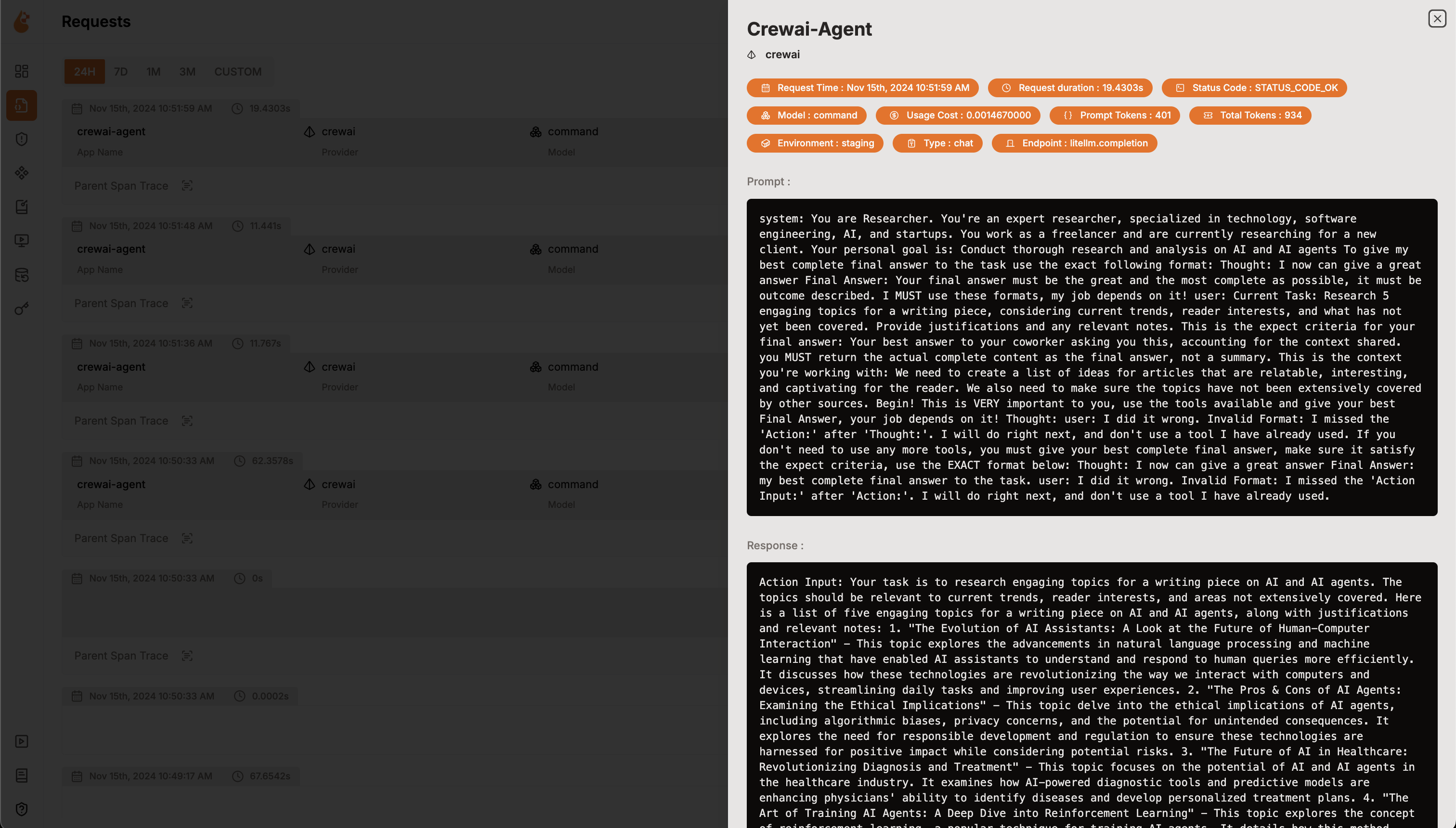
With the Agent Observability data now being collected and sent to OpenLIT, the next step is to visualize and analyze this data to get insights into your Agent’s performance, behavior, and identify areas of improvement.
Just head over to OpenLIT at
127.0.0.1:3000on your browser to start exploring. You can login using the default credentials- Email:
user@openlit.io - Password:
openlituser
OpenLIT Dashboard - Email: