Braintrust
Braintrust Integration
Section titled “Braintrust Integration”This guide demonstrates how to integrate Braintrust with CrewAI using OpenTelemetry for comprehensive tracing and evaluation. By the end of this guide, you will be able to trace your CrewAI agents, monitor their performance, and evaluate their outputs using Braintrust’s powerful observability platform.
What is Braintrust? Braintrust is an AI evaluation and observability platform that provides comprehensive tracing, evaluation, and monitoring for AI applications with built-in experiment tracking and performance analytics.
Get Started
Section titled “Get Started”We’ll walk through a simple example of using CrewAI and integrating it with Braintrust via OpenTelemetry for comprehensive observability and evaluation.
Step 1: Install Dependencies
Section titled “Step 1: Install Dependencies”uv add braintrust[otel] crewai crewai-tools opentelemetry-instrumentation-openai opentelemetry-instrumentation-crewai python-dotenvStep 2: Set Up Environment Variables
Section titled “Step 2: Set Up Environment Variables”Setup Braintrust API keys and configure OpenTelemetry to send traces to Braintrust. You’ll need a Braintrust API key and your OpenAI API key.
import osfrom getpass import getpass
# Get your Braintrust credentialsBRAINTRUST_API_KEY = getpass("🔑 Enter your Braintrust API Key: ")
# Get API keys for servicesOPENAI_API_KEY = getpass("🔑 Enter your OpenAI API key: ")
# Set environment variablesos.environ["BRAINTRUST_API_KEY"] = BRAINTRUST_API_KEYos.environ["BRAINTRUST_PARENT"] = "project_name:crewai-demo"os.environ["OPENAI_API_KEY"] = OPENAI_API_KEY
Step 3: Initialize OpenTelemetry with Braintrust
Section titled “Step 3: Initialize OpenTelemetry with Braintrust”Initialize the Braintrust OpenTelemetry instrumentation to start capturing traces and send them to Braintrust.
import osfrom typing import Any, Dict
from braintrust.otel import BraintrustSpanProcessorfrom crewai import Agent, Crew, Taskfrom crewai.llm import LLMfrom opentelemetry import tracefrom opentelemetry.instrumentation.crewai import CrewAIInstrumentorfrom opentelemetry.instrumentation.openai import OpenAIInstrumentorfrom opentelemetry.sdk.trace import TracerProvider
def setup_tracing() -> None:    """Setup OpenTelemetry tracing with Braintrust."""    current_provider = trace.get_tracer_provider()    if isinstance(current_provider, TracerProvider):        provider = current_provider    else:        provider = TracerProvider()        trace.set_tracer_provider(provider)
    provider.add_span_processor(BraintrustSpanProcessor())    CrewAIInstrumentor().instrument(tracer_provider=provider)    OpenAIInstrumentor().instrument(tracer_provider=provider)

setup_tracing()
Step 4: Create a CrewAI Application
Section titled “Step 4: Create a CrewAI Application”We’ll create a CrewAI application where two agents collaborate to research and write a blog post about AI advancements, with comprehensive tracing enabled.
from crewai import Agent, Crew, Process, Taskfrom crewai_tools import SerperDevTool
def create_crew() -> Crew:    """Create a crew with multiple agents for comprehensive tracing."""    llm = LLM(model="gpt-4o-mini")    search_tool = SerperDevTool()
    # Define agents with specific roles    researcher = Agent(        role="Senior Research Analyst",        goal="Uncover cutting-edge developments in AI and data science",        backstory="""You work at a leading tech think tank.        Your expertise lies in identifying emerging trends.        You have a knack for dissecting complex data and presenting actionable insights.""",        verbose=True,        allow_delegation=False,        llm=llm,        tools=[search_tool],    )
    writer = Agent(        role="Tech Content Strategist",        goal="Craft compelling content on tech advancements",        backstory="""You are a renowned Content Strategist, known for your insightful and engaging articles.        You transform complex concepts into compelling narratives.""",        verbose=True,        allow_delegation=True,        llm=llm,    )
    # Create tasks for your agents    research_task = Task(        description="""Conduct a comprehensive analysis of the latest advancements in {topic}.        Identify key trends, breakthrough technologies, and potential industry impacts.""",        expected_output="Full analysis report in bullet points",        agent=researcher,    )
    writing_task = Task(        description="""Using the insights provided, develop an engaging blog        post that highlights the most significant {topic} advancements.        Your post should be informative yet accessible, catering to a tech-savvy audience.        Make it sound cool, avoid complex words so it doesn't sound like AI.""",        expected_output="Full blog post of at least 4 paragraphs",        agent=writer,        context=[research_task],    )
    # Instantiate your crew with a sequential process    crew = Crew(        agents=[researcher, writer],        tasks=[research_task, writing_task],        verbose=True,        process=Process.sequential    )
    return crew
def run_crew():    """Run the crew and return results."""    crew = create_crew()    result = crew.kickoff(inputs={"topic": "AI developments"})    return result
# Run your crewif __name__ == "__main__":    # Instrumentation is already initialized above in this module    result = run_crew()    print(result)
Step 5: View Traces in Braintrust
Section titled “Step 5: View Traces in Braintrust”After running your crew, you can view comprehensive traces in Braintrust through different perspectives:
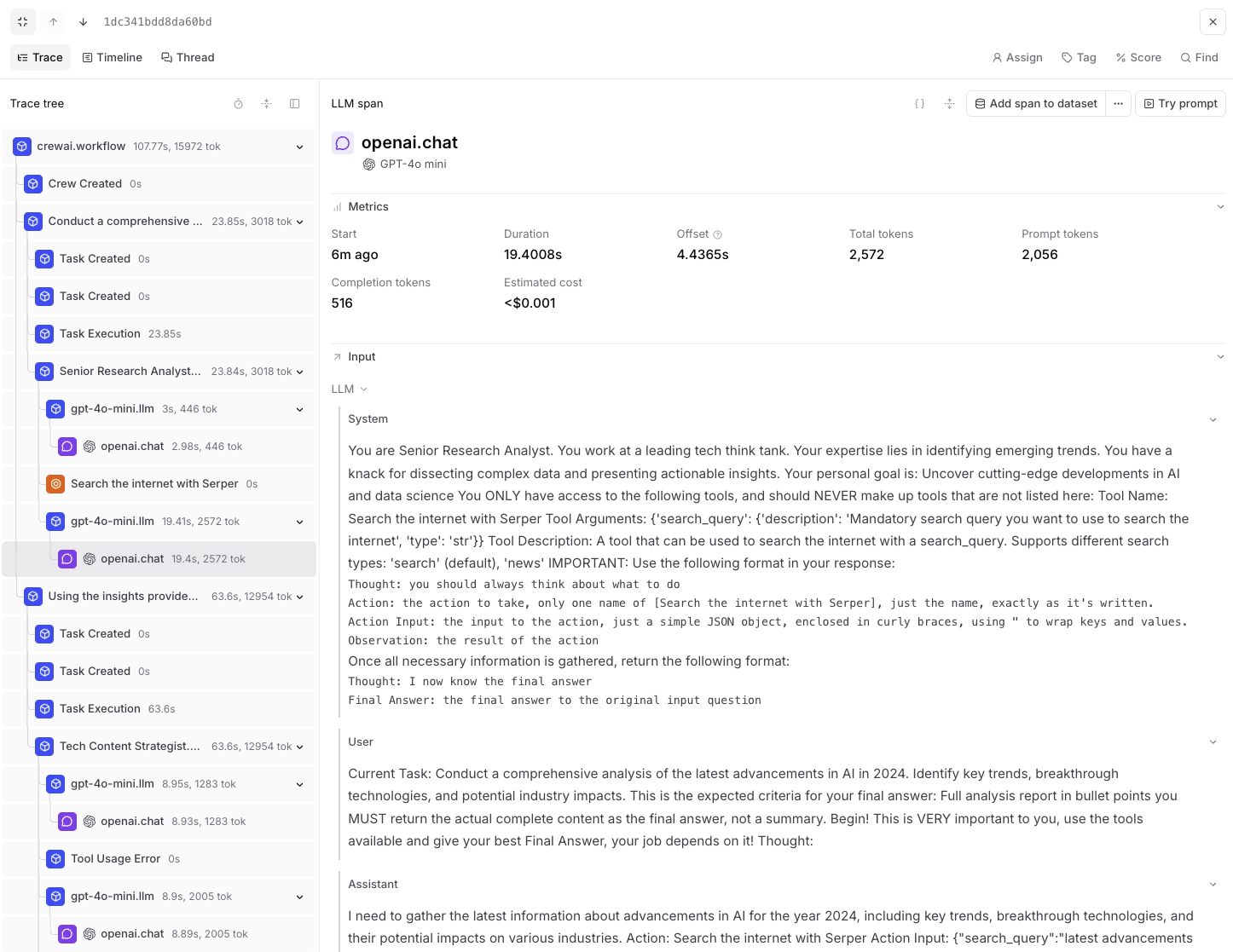
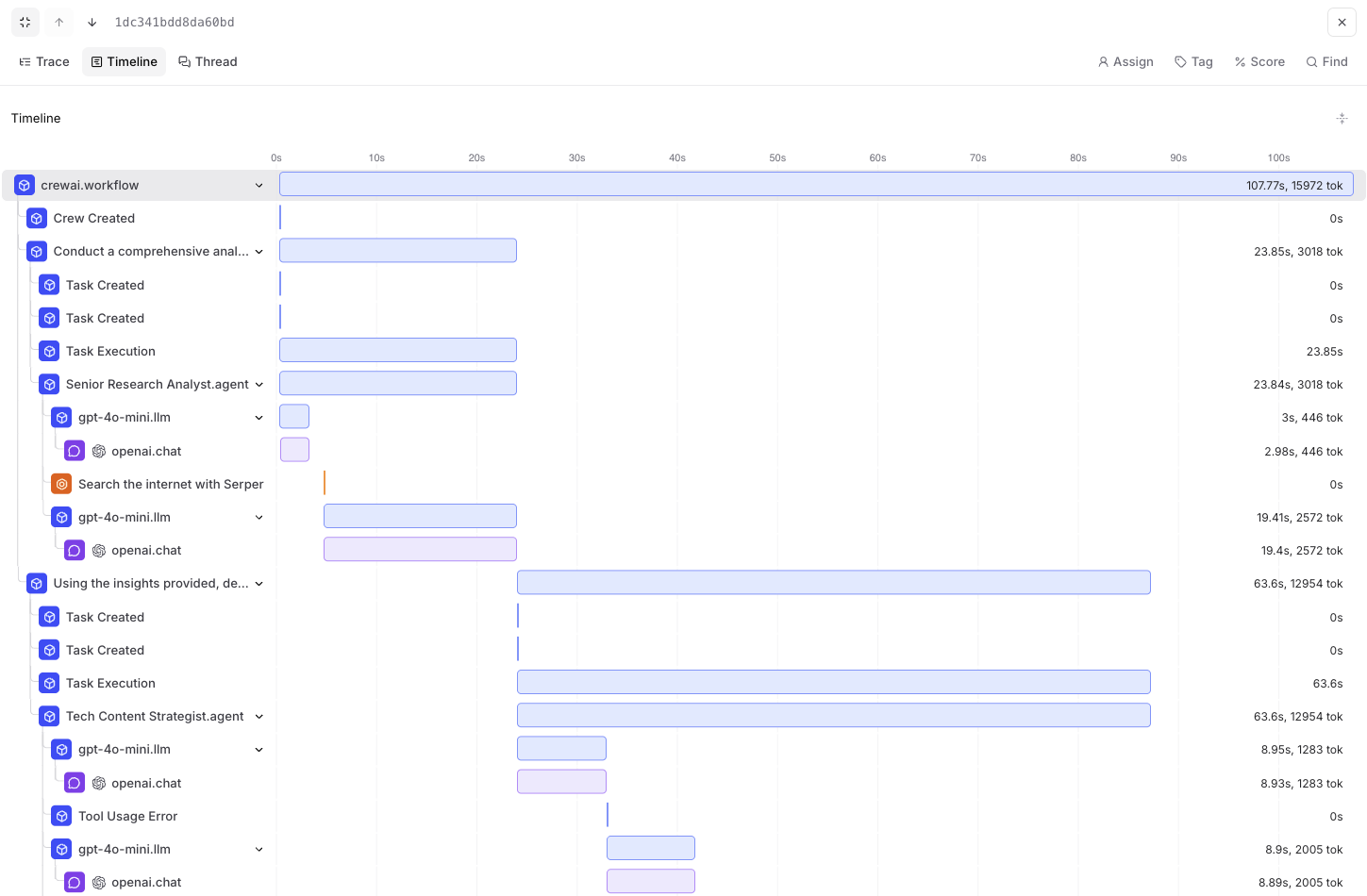
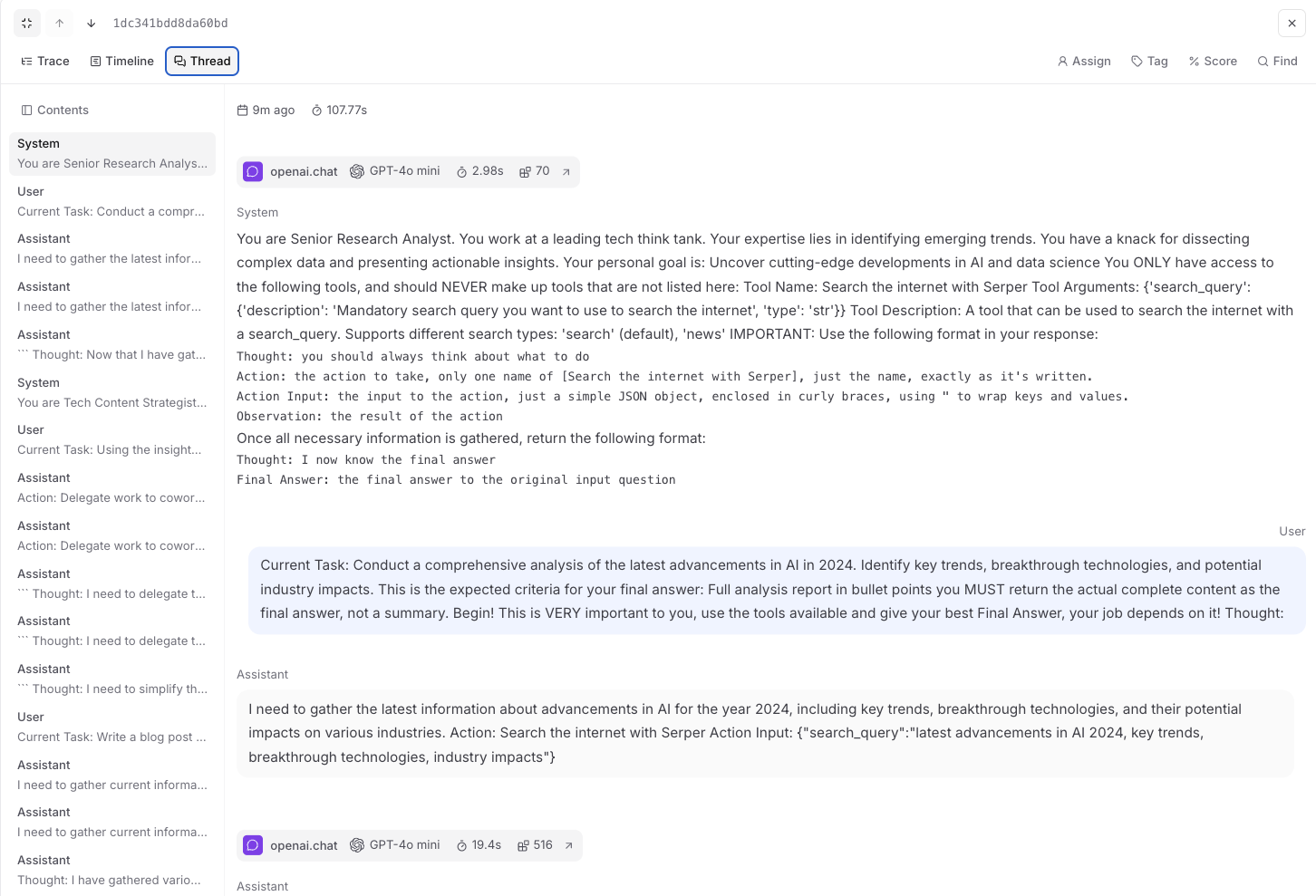
Step 6: Evaluate via SDK (Experiments)
Section titled “Step 6: Evaluate via SDK (Experiments)”You can also run evaluations using Braintrust’s Eval SDK. This is useful for comparing versions or scoring outputs offline. Below is a Python example using the Eval class with the crew we created above:
from braintrust import Evalfrom autoevals import Levenshtein
def evaluate_crew_task(input_data):    """Task function that wraps our crew for evaluation."""    crew = create_crew()    result = crew.kickoff(inputs={"topic": input_data["topic"]})    return str(result)
Eval(    "AI Research Crew",  # Project name    {        "data": lambda: [            {"topic": "artificial intelligence trends 2024"},            {"topic": "machine learning breakthroughs"},            {"topic": "AI ethics and governance"},        ],        "task": evaluate_crew_task,        "scores": [Levenshtein],    },)
Setup your API key and run:
export BRAINTRUST_API_KEY="YOUR_API_KEY"braintrust eval eval_crew.pySee the Braintrust Eval SDK guide for more details.
Key Features of Braintrust Integration
Section titled “Key Features of Braintrust Integration”- Comprehensive Tracing: Track all agent interactions, tool usage, and LLM calls
- Performance Monitoring: Monitor execution times, token usage, and success rates
- Experiment Tracking: Compare different crew configurations and models
- Automated Evaluation: Set up custom evaluation metrics for crew outputs
- Error Tracking: Monitor and debug failures across your crew executions
- Cost Analysis: Track token usage and associated costs
Version Compatibility Information
Section titled “Version Compatibility Information”- Python 3.8+
- CrewAI >= 0.86.0
- Braintrust >= 0.1.0
- OpenTelemetry SDK >= 1.31.0
References
Section titled “References”- Braintrust Documentation - Overview of the Braintrust platform
- Braintrust CrewAI Integration - Official CrewAI integration guide
- Braintrust Eval SDK - Run experiments via the SDK
- CrewAI Documentation - Overview of the CrewAI framework
- OpenTelemetry Docs - OpenTelemetry guide
- Braintrust GitHub - Source code for Braintrust SDK