Langfuse Integration
Integrate Langfuse with CrewAI
Section titled “Integrate Langfuse with CrewAI”This notebook demonstrates how to integrate Langfuse with CrewAI using OpenTelemetry via the OpenLit SDK. By the end of this notebook, you will be able to trace your CrewAI applications with Langfuse for improved observability and debugging.
What is Langfuse? Langfuse is an open-source LLM engineering platform. It provides tracing and monitoring capabilities for LLM applications, helping developers debug, analyze, and optimize their AI systems. Langfuse integrates with various tools and frameworks via native integrations, OpenTelemetry, and APIs/SDKs.
Get Started
Section titled “Get Started”We’ll walk through a simple example of using CrewAI and integrating it with Langfuse via OpenTelemetry using OpenLit.
Step 1: Install Dependencies
Section titled “Step 1: Install Dependencies”%pip install langfuse openlit crewai crewai_toolsStep 2: Set Up Environment Variables
Section titled “Step 2: Set Up Environment Variables”Set your Langfuse API keys and configure OpenTelemetry export settings to send traces to Langfuse. Please refer to the Langfuse OpenTelemetry Docs for more information on the Langfuse OpenTelemetry endpoint /api/public/otel and authentication.
import os
# Get keys for your project from the project settings page: https://cloud.langfuse.comos.environ["LANGFUSE_PUBLIC_KEY"] = "pk-lf-..."os.environ["LANGFUSE_SECRET_KEY"] = "sk-lf-..."os.environ["LANGFUSE_HOST"] = "https://cloud.langfuse.com" # 🇪🇺 EU region# os.environ["LANGFUSE_HOST"] = "https://us.cloud.langfuse.com" # 🇺🇸 US region

# Your OpenAI keyos.environ["OPENAI_API_KEY"] = "sk-proj-..."
With the environment variables set, we can now initialize the Langfuse client. get_client() initializes the Langfuse client using the credentials provided in the environment variables.
from langfuse import get_client
langfuse = get_client()
# Verify connectionif langfuse.auth_check():    print("Langfuse client is authenticated and ready!")else:    print("Authentication failed. Please check your credentials and host.")
Step 3: Initialize OpenLit
Section titled “Step 3: Initialize OpenLit”Initialize the OpenLit OpenTelemetry instrumentation SDK to start capturing OpenTelemetry traces.
import openlit
openlit.init()
Step 4: Create a Simple CrewAI Application
Section titled “Step 4: Create a Simple CrewAI Application”We’ll create a simple CrewAI application where multiple agents collaborate to answer a user’s question.
from crewai import Agent, Task, Crew
from crewai_tools import (    WebsiteSearchTool)
web_rag_tool = WebsiteSearchTool()
writer = Agent(        role="Writer",        goal="You make math engaging and understandable for young children through poetry",        backstory="You're an expert in writing haikus but you know nothing of math.",        tools=[web_rag_tool],    )
task = Task(description=("What is {multiplication}?"),            expected_output=("Compose a haiku that includes the answer."),            agent=writer)
crew = Crew(  agents=[writer],  tasks=[task],  share_crew=False)
Step 5: See Traces in Langfuse
Section titled “Step 5: See Traces in Langfuse”After running the agent, you can view the traces generated by your CrewAI application in Langfuse. You should see detailed steps of the LLM interactions, which can help you debug and optimize your AI agent.
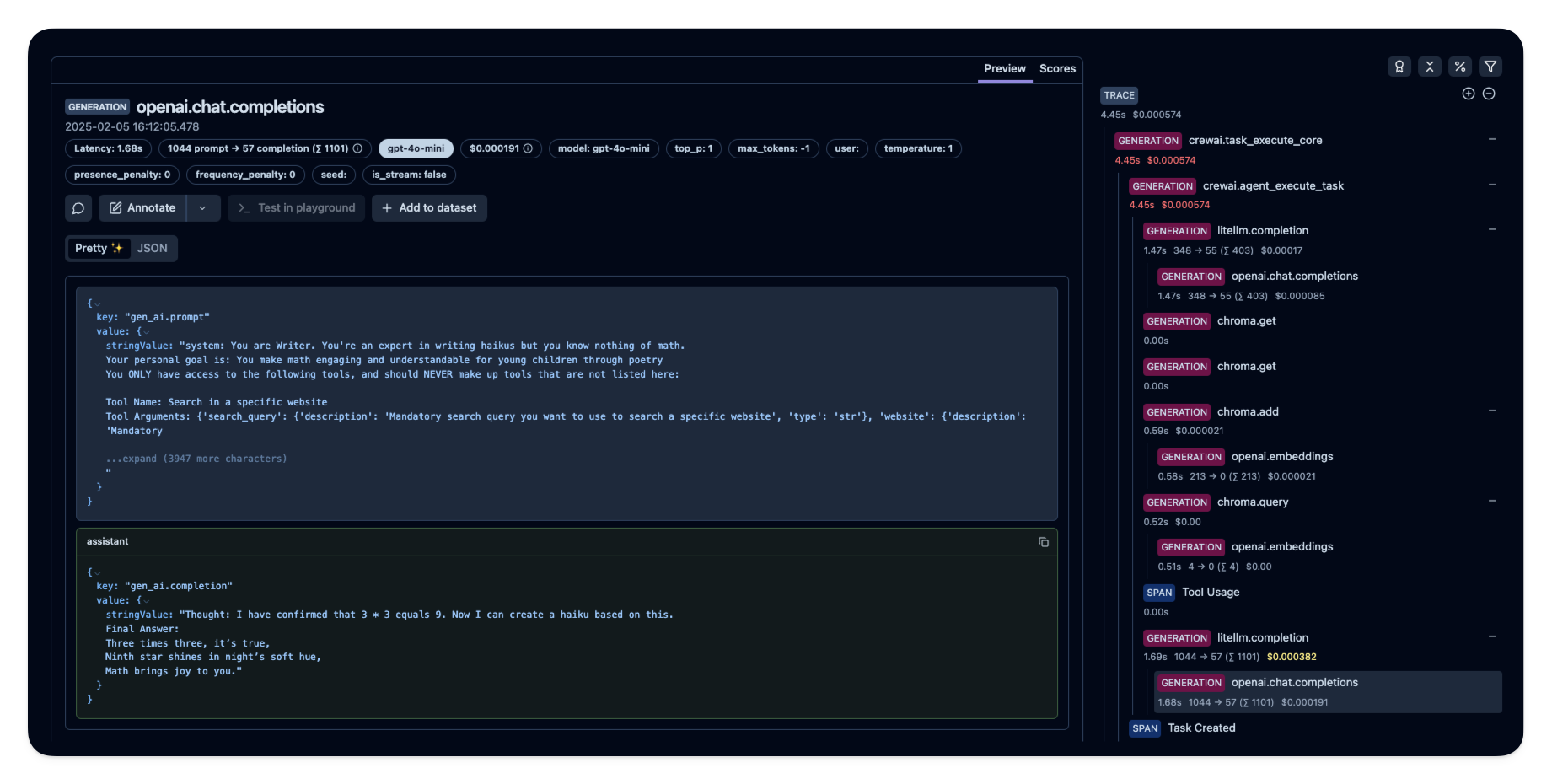
Public example trace in Langfuse