Automations
Overview
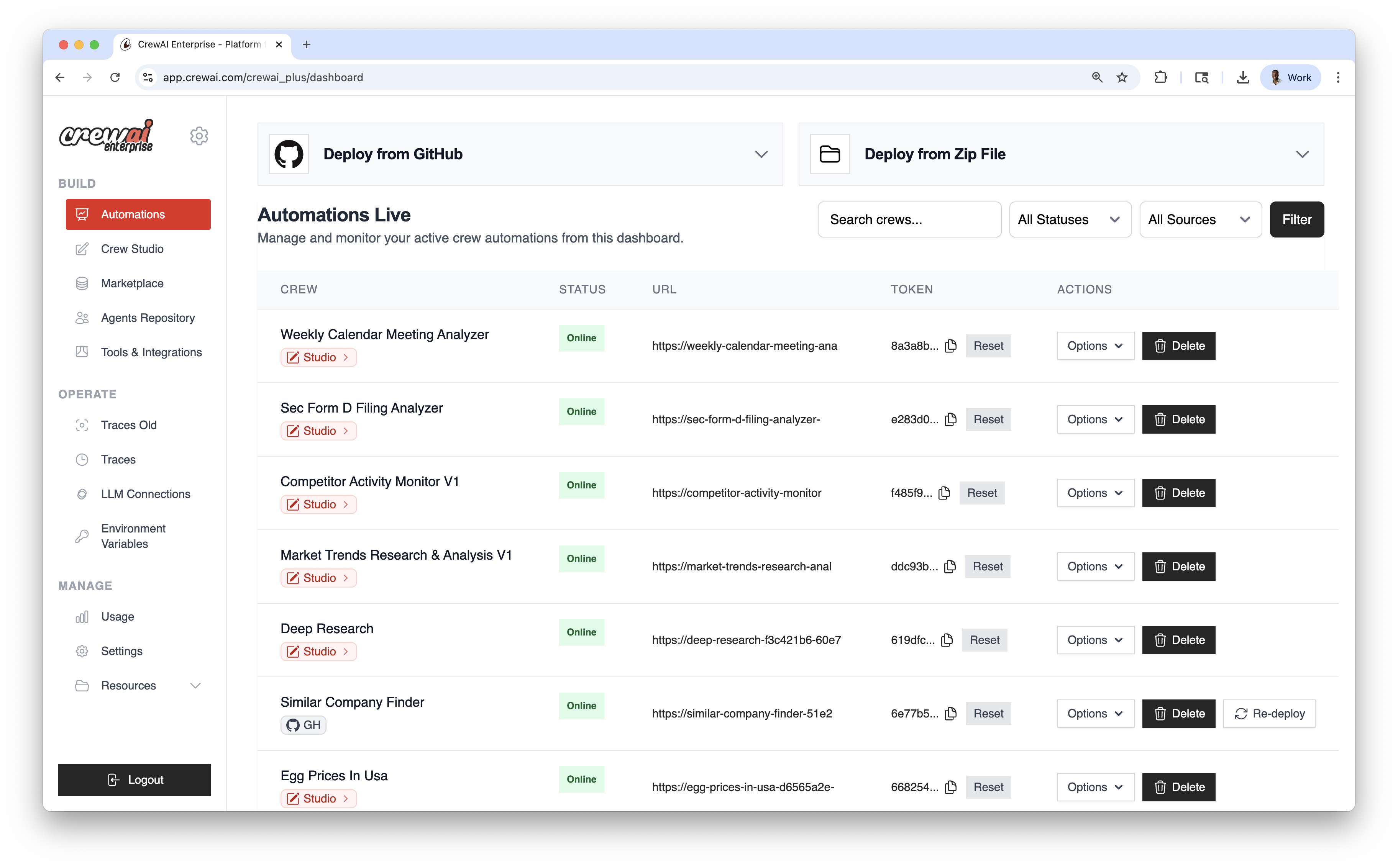
Section titled “Overview”Automations is the live operations hub for your deployed crews. Use it to deploy from GitHub or a ZIP file, manage environment variables, re‑deploy when needed, and monitor the status of each automation.
Deployment Methods
Section titled “Deployment Methods”Deploy from GitHub
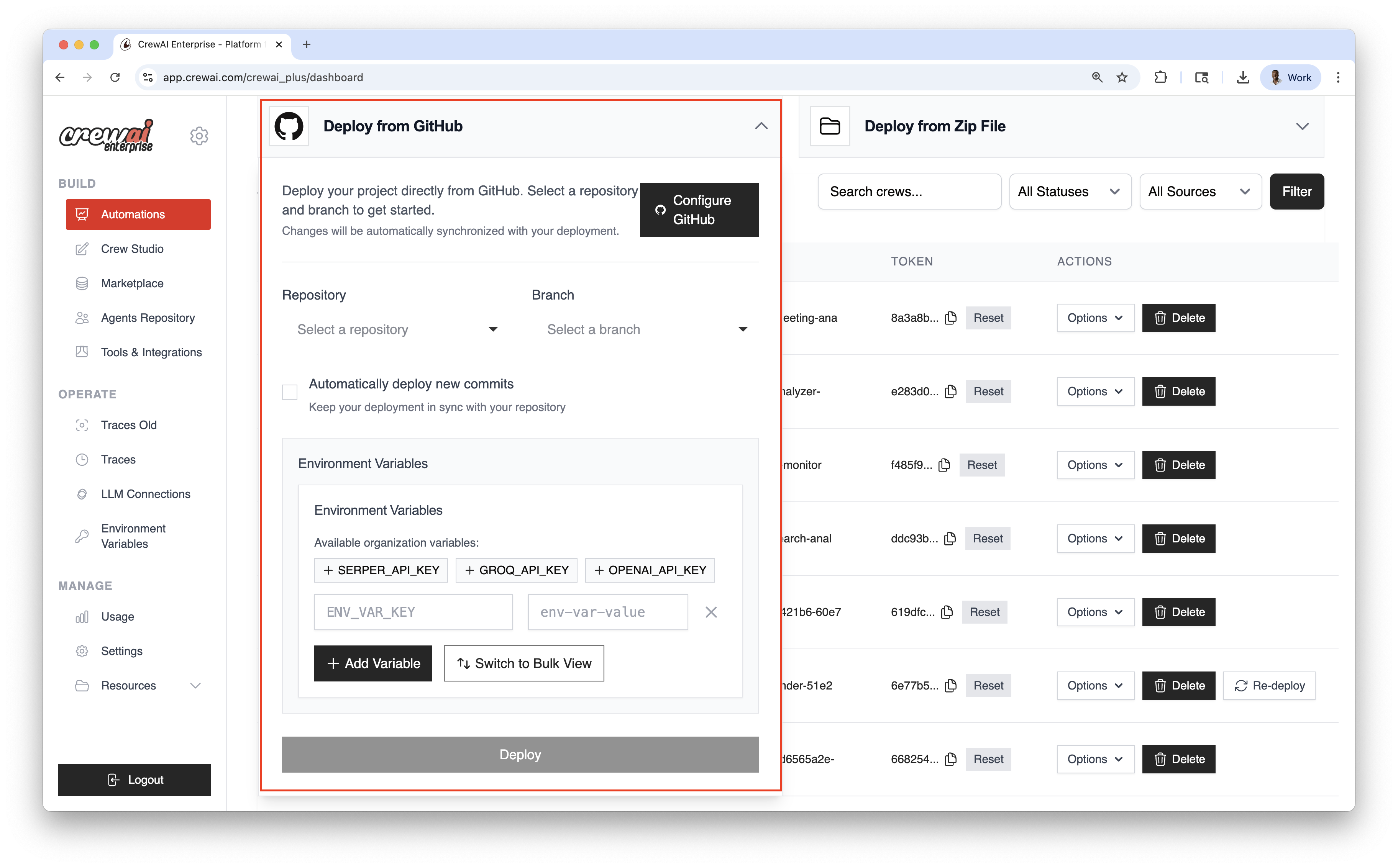
Section titled “Deploy from GitHub”Use this for version‑controlled projects and continuous deployment.
- Connect GitHub
Click Configure GitHub and authorize access.
- Select Repository & Branch
Choose the Repository and Branch you want to deploy from.
- Enable Auto‑deploy (optional)
Turn on Automatically deploy new commits to ship updates on every push.
- Add Environment Variables
Add secrets individually or use Bulk View for multiple variables.
- Deploy
Click Deploy to create your live automation.
Deploy from ZIP
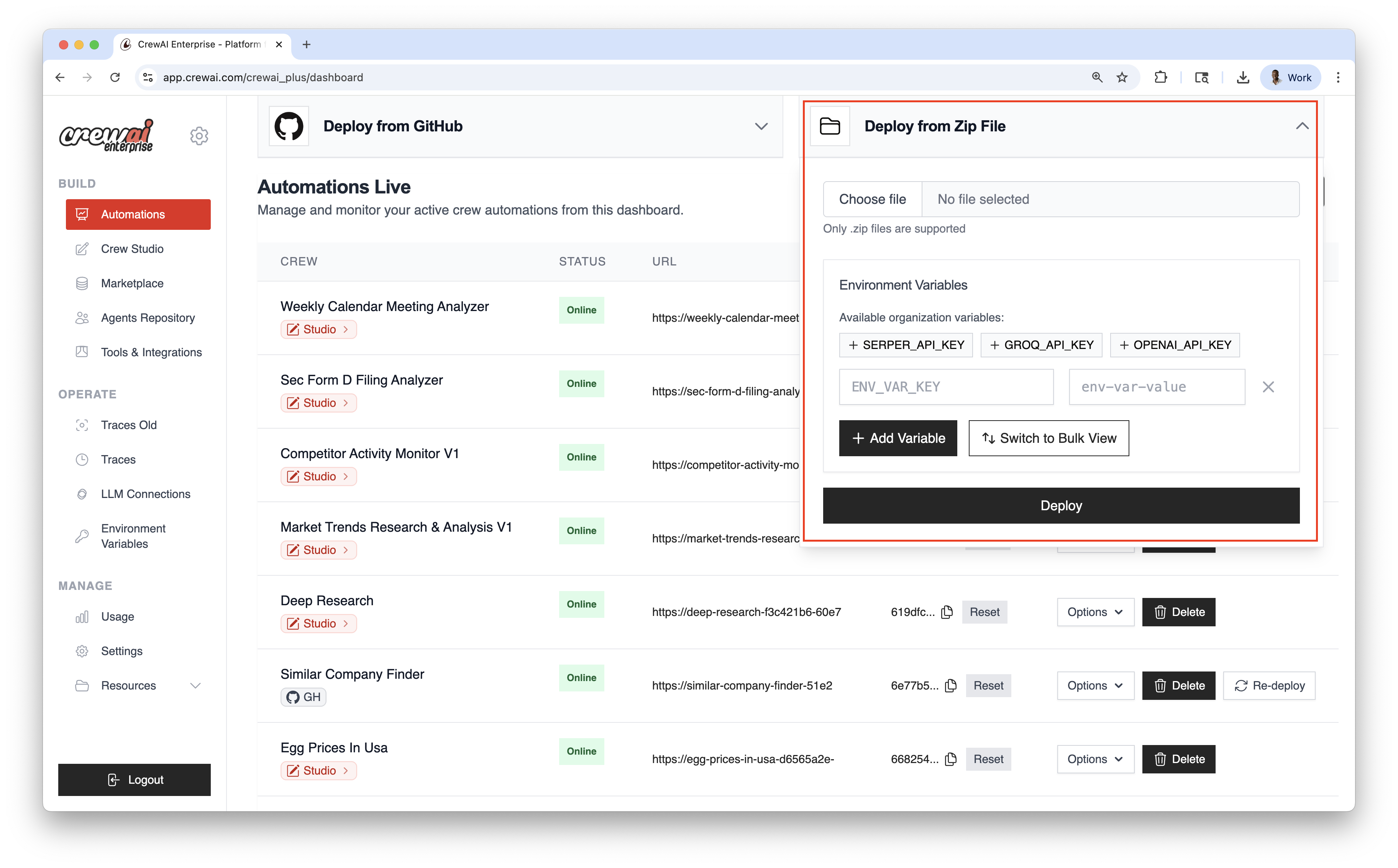
Section titled “Deploy from ZIP”Ship quickly without Git—upload a compressed package of your project.
- Choose File
Select the ZIP archive from your computer.
- Add Environment Variables
Provide any required variables or keys.
- Deploy
Click Deploy to create your live automation.
Automations Dashboard
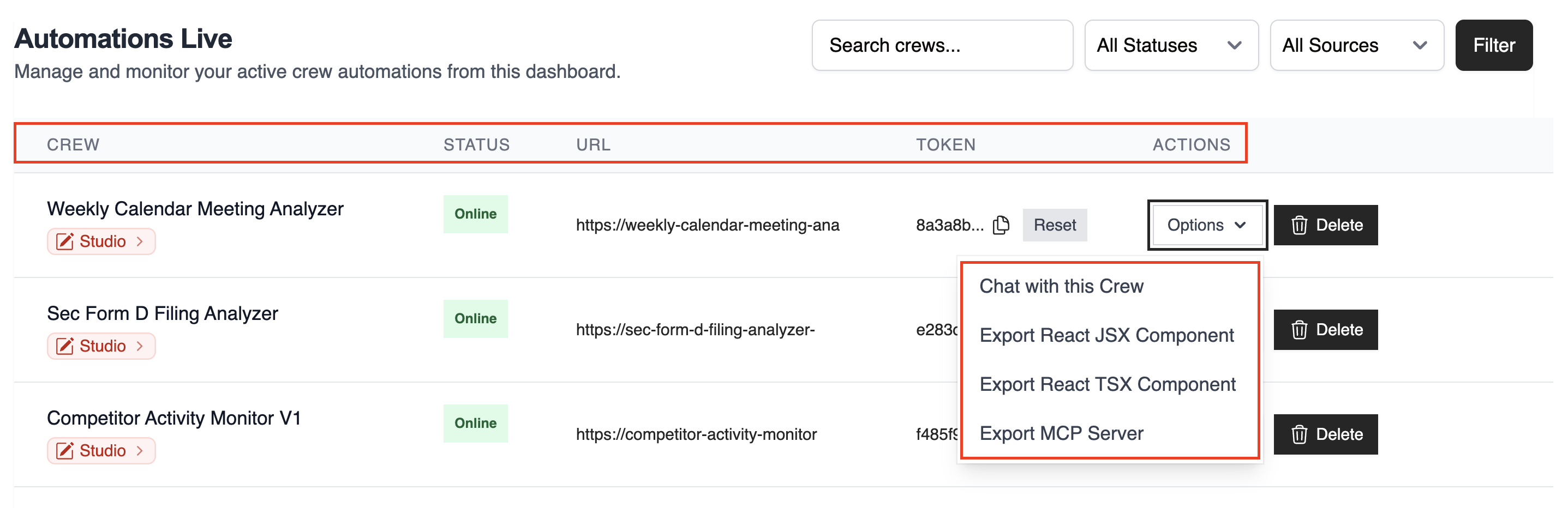
Section titled “Automations Dashboard”The table lists all live automations with key details:
- CREW: Automation name
- STATUS: Online / Failed / In Progress
- URL: Endpoint for kickoff/status
- TOKEN: Automation token
- ACTIONS: Re‑deploy, delete, and more
Use the top‑right controls to filter and search:
- Search by name
- Filter by Status
- Filter by Source (GitHub / Studio / ZIP)
Once deployed, you can view the automation details and have the Options dropdown menu to chat with this crew, Export React Component and Export as MCP.
Best Practices
Section titled “Best Practices”- Prefer GitHub deployments for version control and CI/CD
- Use re‑deploy to roll forward after code or config updates or set it to auto-deploy on every push