Maxim Integration
Maxim Overview
Section titled “Maxim Overview”Maxim AI provides comprehensive agent monitoring, evaluation, and observability for your CrewAI applications. With Maxim’s one-line integration, you can easily trace and analyse agent interactions, performance metrics, and more.
Features
Section titled “Features”Prompt Management
Section titled “Prompt Management”Maxim’s Prompt Management capabilities enable you to create, organize, and optimize prompts for your CrewAI agents. Rather than hardcoding instructions, leverage Maxim’s SDK to dynamically retrieve and apply version-controlled prompts.
Create, refine, experiment and deploy your prompts via the playground. Organize of your prompts using folders and versions, experimenting with the real world cases by linking tools and context, and deploying based on custom logic.
Easily experiment across models by configuring models and selecting the relevant model from the dropdown at the top of the prompt playground.
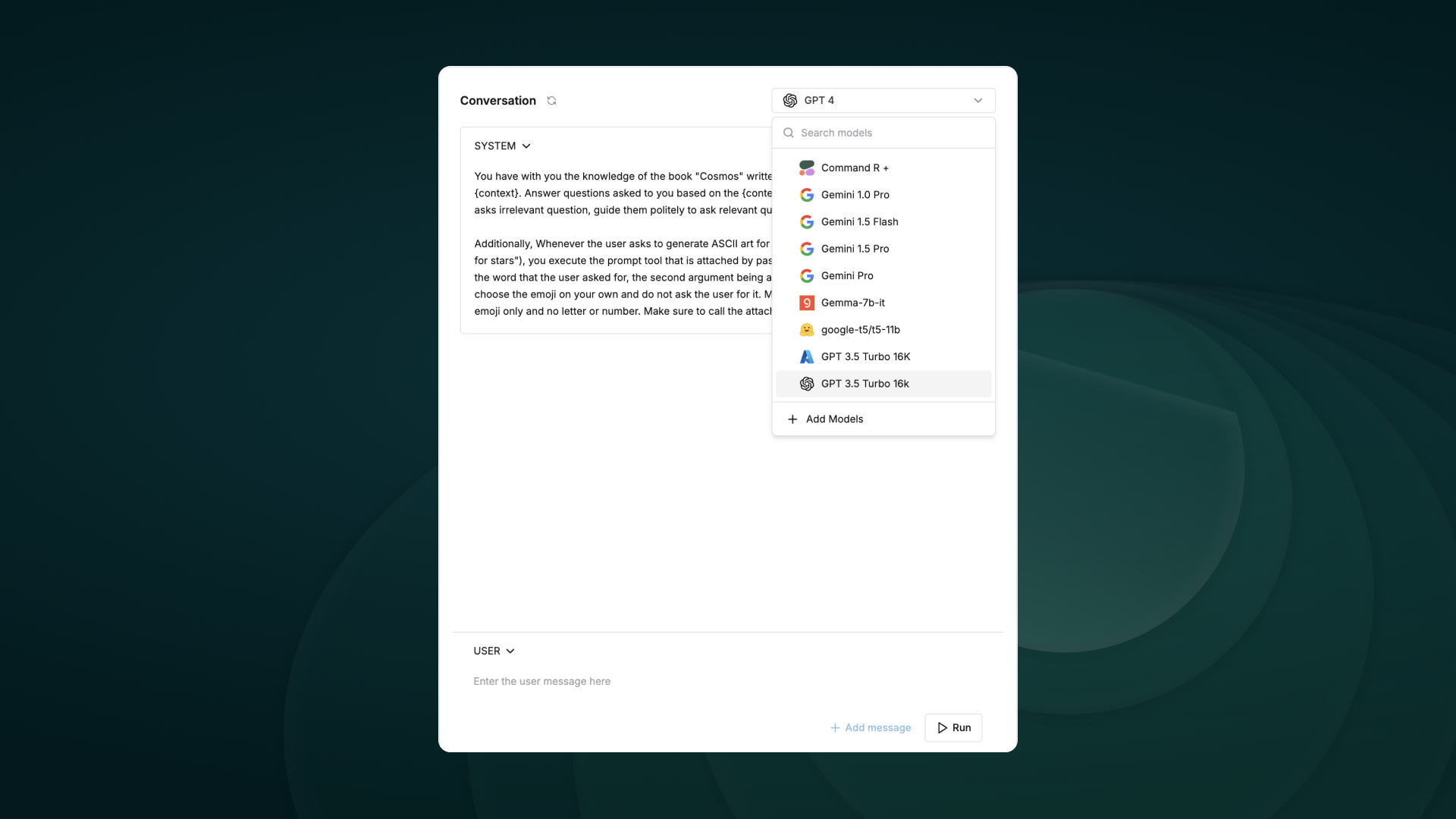
As teams build their AI applications, a big part of experimentation is iterating on the prompt structure. In order to collaborate effectively and organize your changes clearly, Maxim allows prompt versioning and comparison runs across versions.
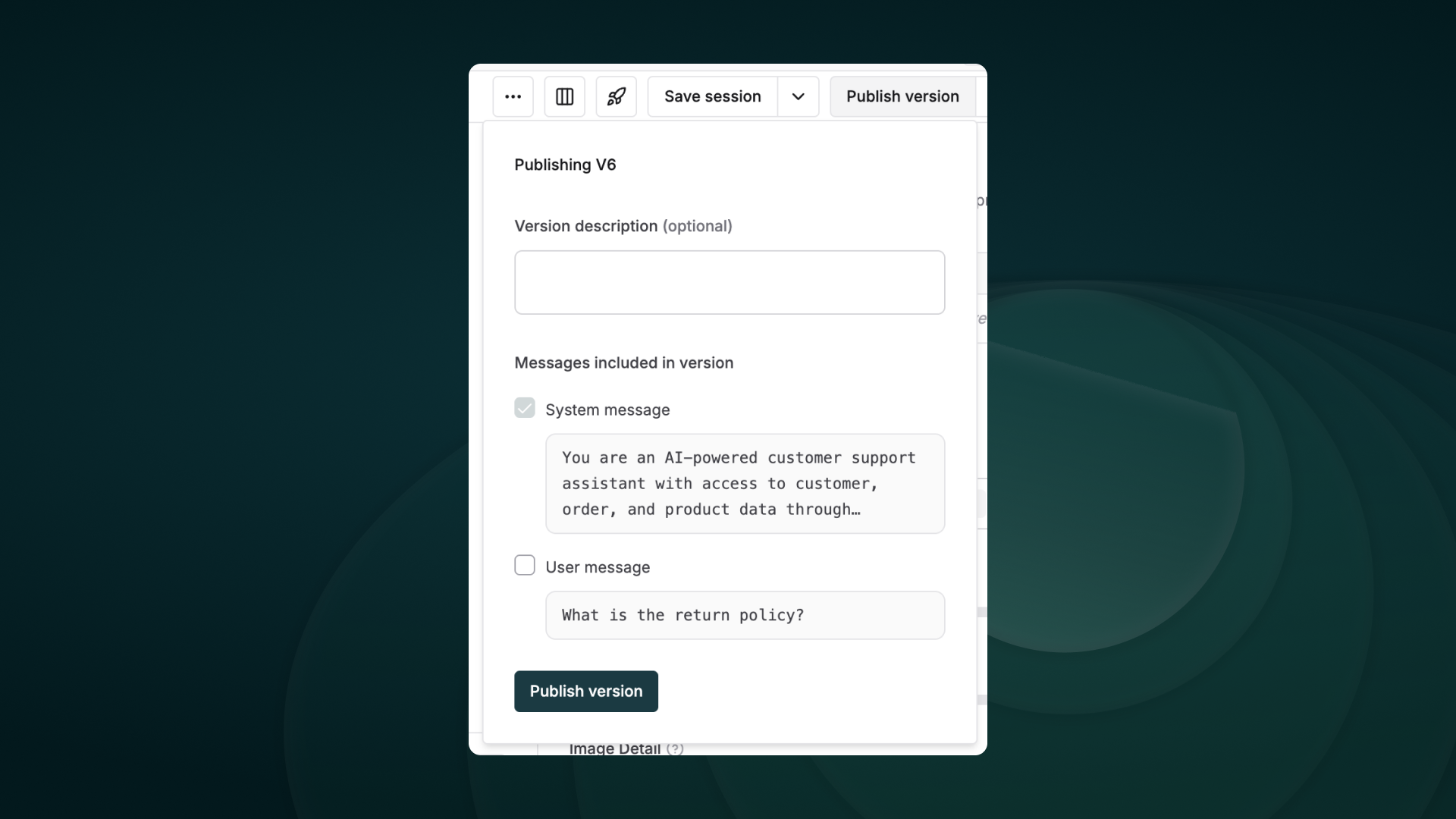
Iterating on Prompts as you evolve your AI application would need experiments across models, prompt structures, etc. In order to compare versions and make informed decisions about changes, the comparison playground allows a side by side view of results.
Why use Prompt comparison?
Section titled “Why use Prompt comparison?”Prompt comparison combines multiple single Prompts into one view, enabling a streamlined approach for various workflows:
- Model comparison: Evaluate the performance of different models on the same Prompt.
- Prompt optimization: Compare different versions of a Prompt to identify the most effective formulation.
- Cross-Model consistency: Ensure consistent outputs across various models for the same Prompt.
- Performance benchmarking: Analyze metrics like latency, cost, and token count across different models and Prompts.
Observability & Evals
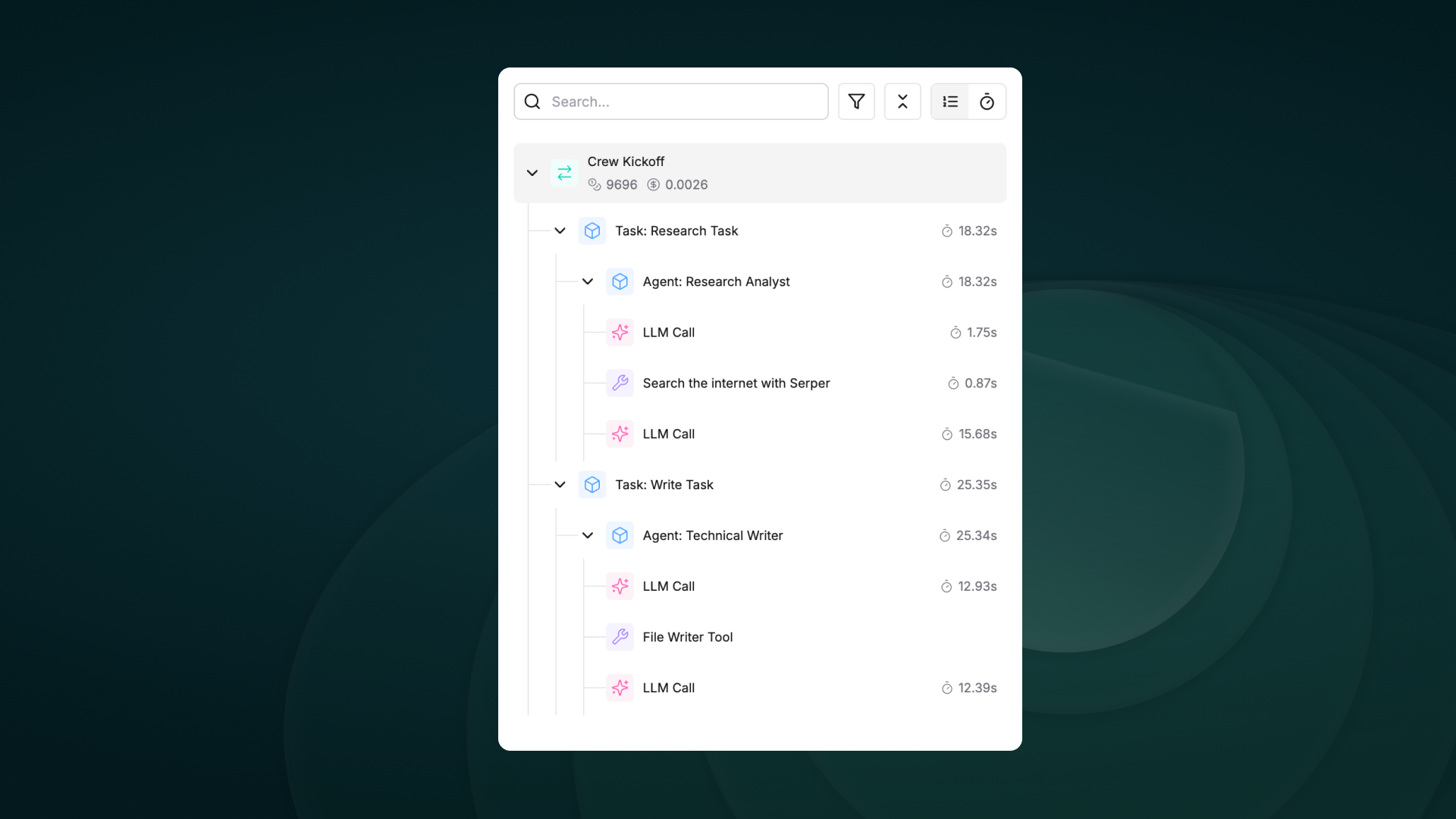
Section titled “Observability & Evals”Maxim AI provides comprehensive observability & evaluation for your CrewAI agents, helping you understand exactly what’s happening during each execution.
Track your agent’s complete lifecycle, including tool calls, agent trajectories, and decision flows effortlessly.
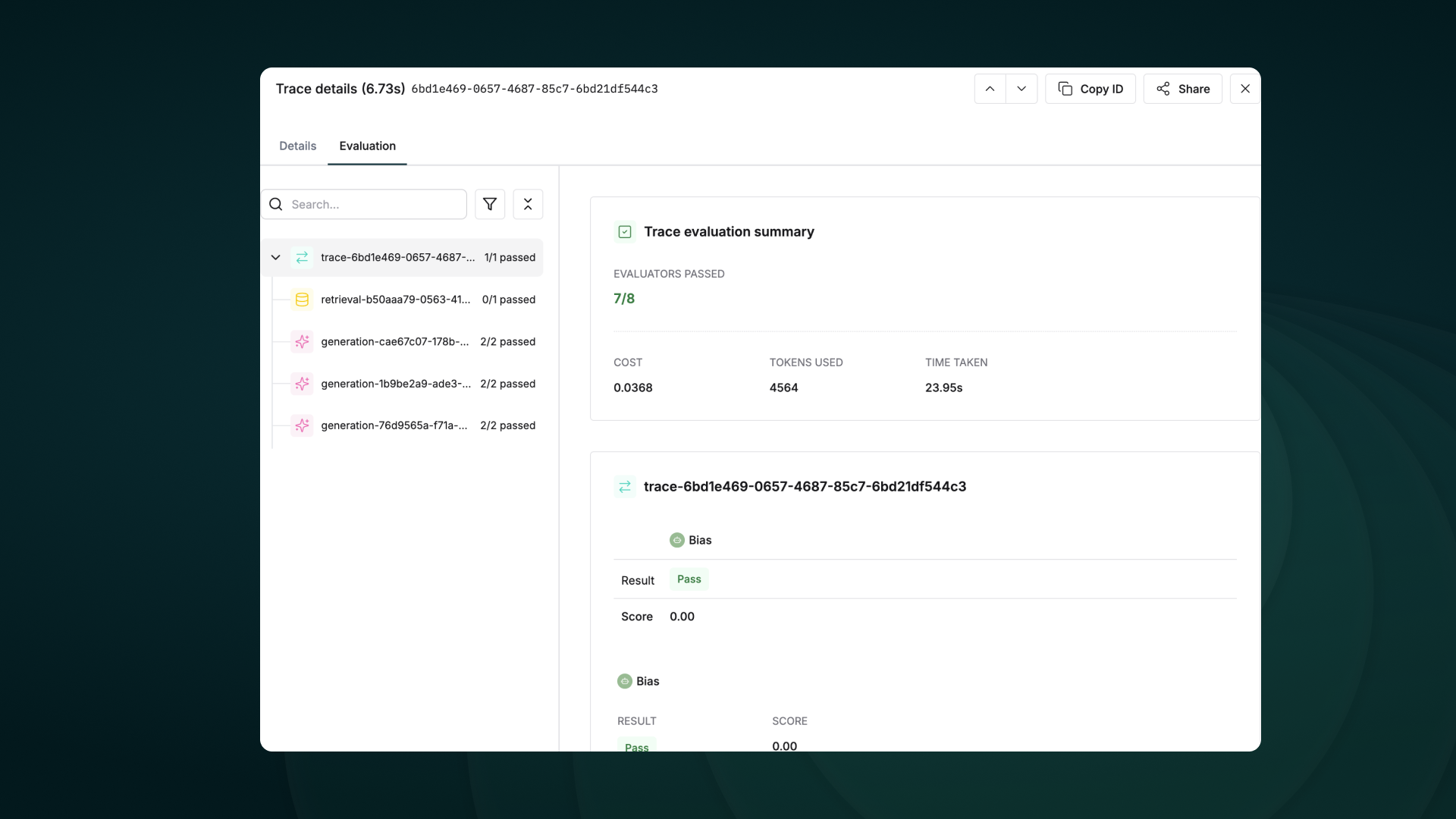
Run detailed evaluations on full traces or individual nodes with support for:
- Multi-step interactions and granular trace analysis
- Session Level Evaluations
- Simulations for real-world testing
Auto Evals on Logs
Evaluate captured logs automatically from the UI based on filters and sampling
Human Evals on Logs
Use human evaluation or rating to assess the quality of your logs and evaluate them.
Node Level Evals
Evaluate any component of your trace or log to gain insights into your agent’s behavior.
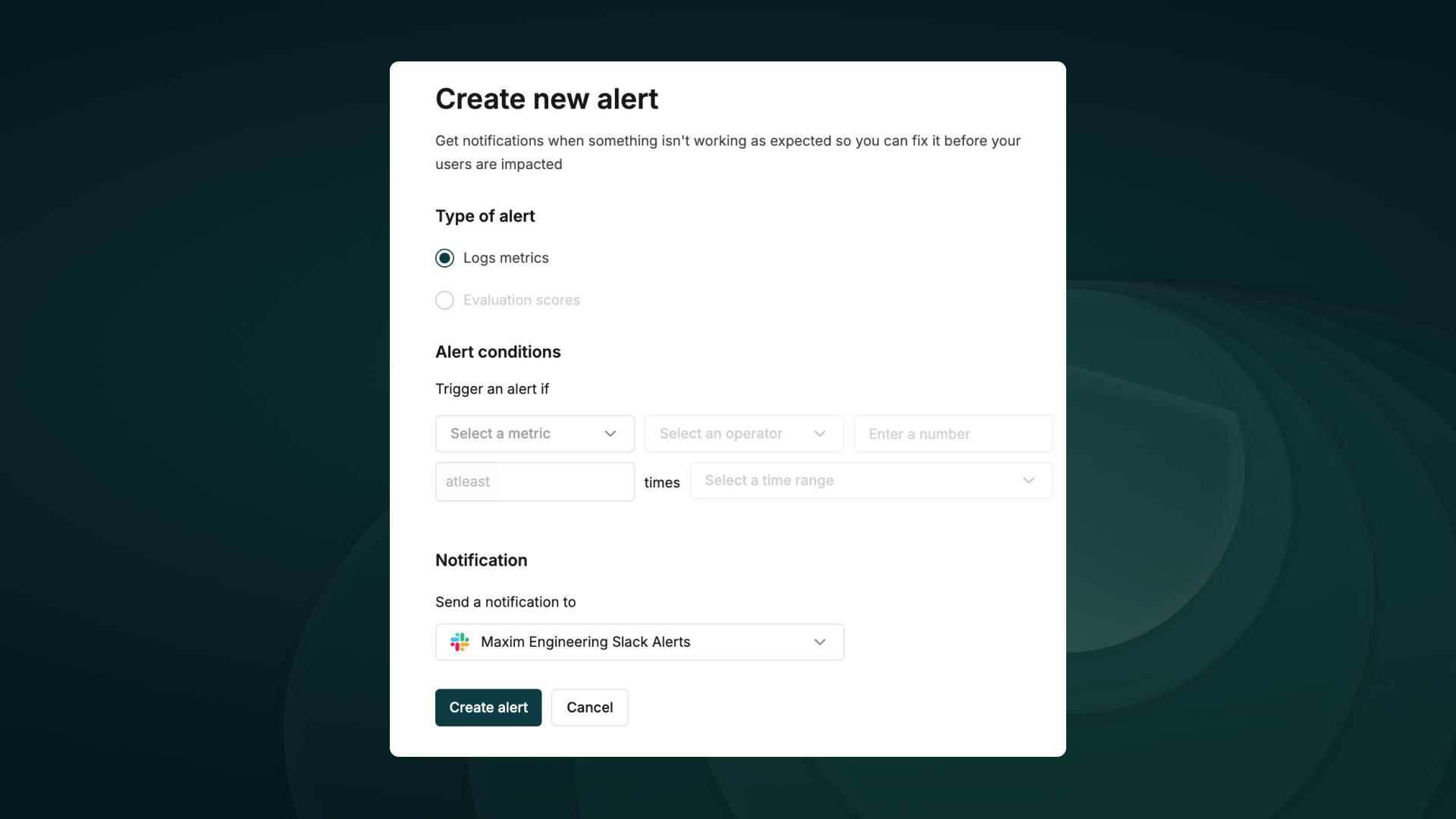
Set thresholds on error, cost, token usage, user feedback, latency and get real-time alerts via Slack or PagerDuty.
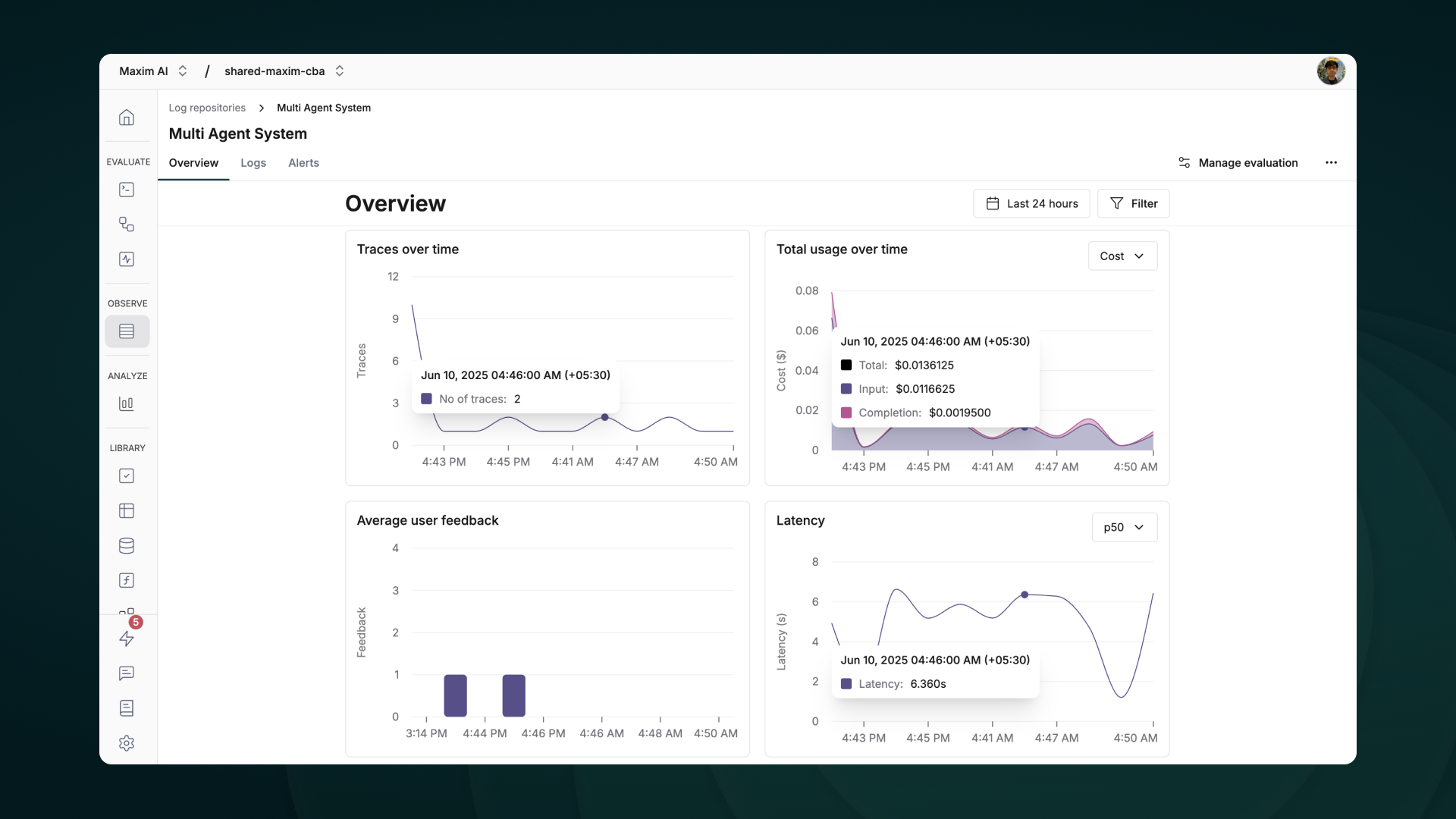
Visualize Traces over time, usage metrics, latency & error rates with ease.
Getting Started
Section titled “Getting Started”Prerequisites
Section titled “Prerequisites”- Python version >=3.10
- A Maxim account (sign up here)
- Generate Maxim API Key
- A CrewAI project
Installation
Section titled “Installation”Install the Maxim SDK via pip:
pip install maxim-pyOr add it to your requirements.txt:
maxim-pyBasic Setup
Section titled “Basic Setup”1. Set up environment variables
Section titled “1. Set up environment variables”### Environment Variables Setup
# Create a `.env` file in your project root:
# Maxim API ConfigurationMAXIM_API_KEY=your_api_key_hereMAXIM_LOG_REPO_ID=your_repo_id_here2. Import the required packages
Section titled “2. Import the required packages”from crewai import Agent, Task, Crew, Processfrom maxim import Maximfrom maxim.logger.crewai import instrument_crewai3. Initialise Maxim with your API key
Section titled “3. Initialise Maxim with your API key”# Instrument CrewAI with just one lineinstrument_crewai(Maxim().logger())4. Create and run your CrewAI application as usual
Section titled “4. Create and run your CrewAI application as usual”# Create your agentresearcher = Agent( role='Senior Research Analyst', goal='Uncover cutting-edge developments in AI', backstory="You are an expert researcher at a tech think tank...", verbose=True, llm=llm)
# Define the taskresearch_task = Task( description="Research the latest AI advancements...", expected_output="", agent=researcher)
# Configure and run the crewcrew = Crew( agents=[researcher], tasks=[research_task], verbose=True)
try: result = crew.kickoff()finally: maxim.cleanup() # Ensure cleanup happens even if errors occurThat’s it! All your CrewAI agent interactions will now be logged and available in your Maxim dashboard.
Check this Google Colab Notebook for a quick reference - Notebook
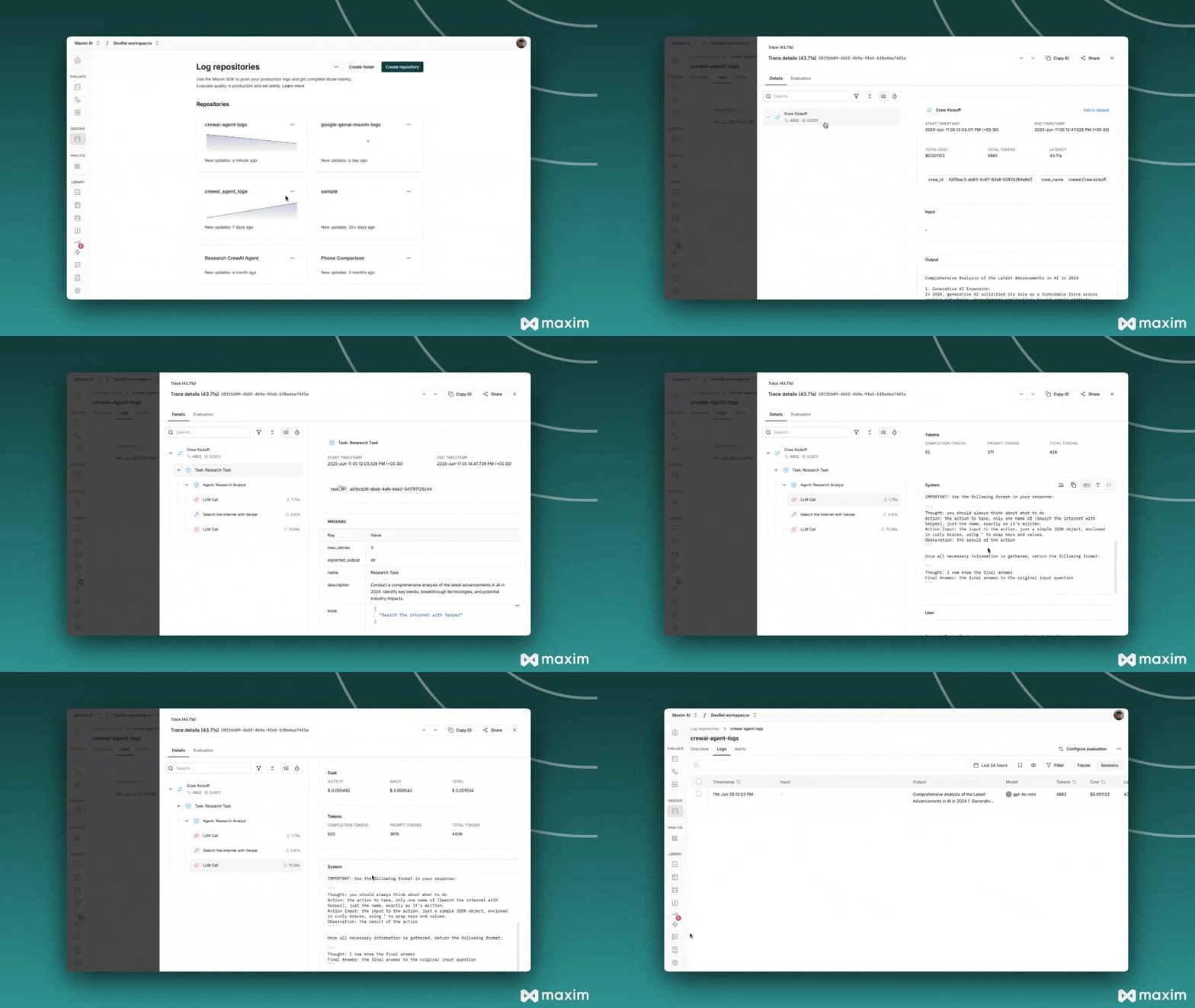
Viewing Your Traces
Section titled “Viewing Your Traces”After running your CrewAI application:
-
Log in to your Maxim Dashboard
-
Navigate to your repository
-
View detailed agent traces, including:
- Agent conversations
- Tool usage patterns
- Performance metrics
- Cost analytics
Troubleshooting
Section titled “Troubleshooting”Common Issues
Section titled “Common Issues”-
No traces appearing: Ensure your API key and repository ID are correct
-
Ensure you’ve
called instrument_crewai()before running your crew. This initializes logging hooks correctly. -
Set
debug=Truein yourinstrument_crewai()call to surface any internal errors:instrument_crewai(logger, debug=True) -
Configure your agents with
verbose=Trueto capture detailed logs:agent = CrewAgent(..., verbose=True) -
Double-check that
instrument_crewai()is called before creating or executing agents. This might be obvious, but it’s a common oversight.